3. Operation
EzRay Air (Model: VEX-P300) User Manual 11
ENGLISH
3. Operation
3.1 Power On/Off
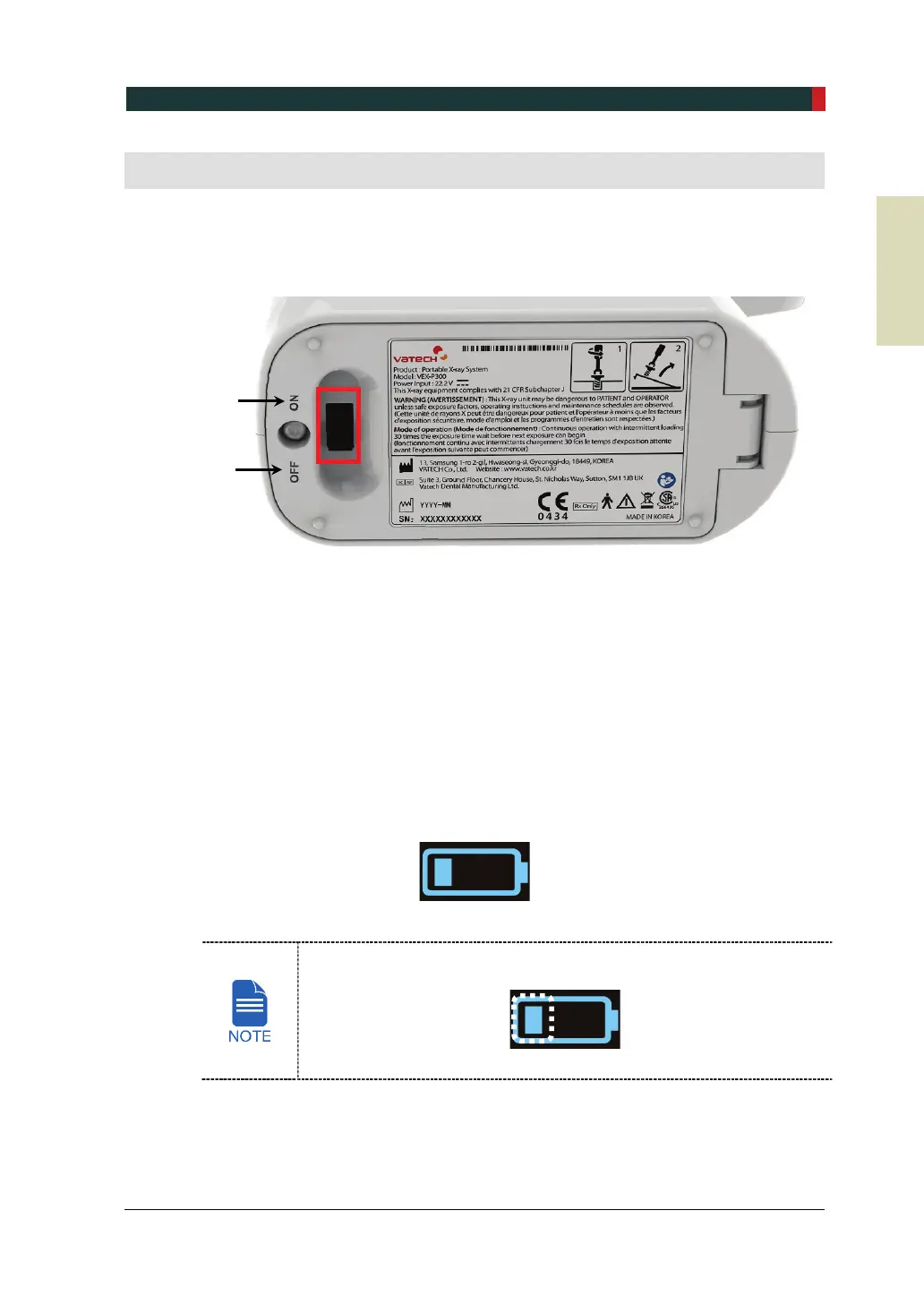
1. Turn on the system referring to the following figure.
2. The following displays and indicators light up:
Current Angle/Time display
Tooth type selection display
Adult/Child selection display
Remaining battery indicator
X-ray exposure indicator
3. Make sure that at least one battery indicator light comes on.
Battery level 1
When the battery indicator has one flickering light, charge the battery
immediately by using the battery charger.
For more information, refer to ‘3.5 Using the Battery’ on page 31.
ON
OFF













 To Next Page