3. Operation
EzRay Air (Model: VEX-P300) User Manual 31
ENGLISH
3.5 Using the Battery
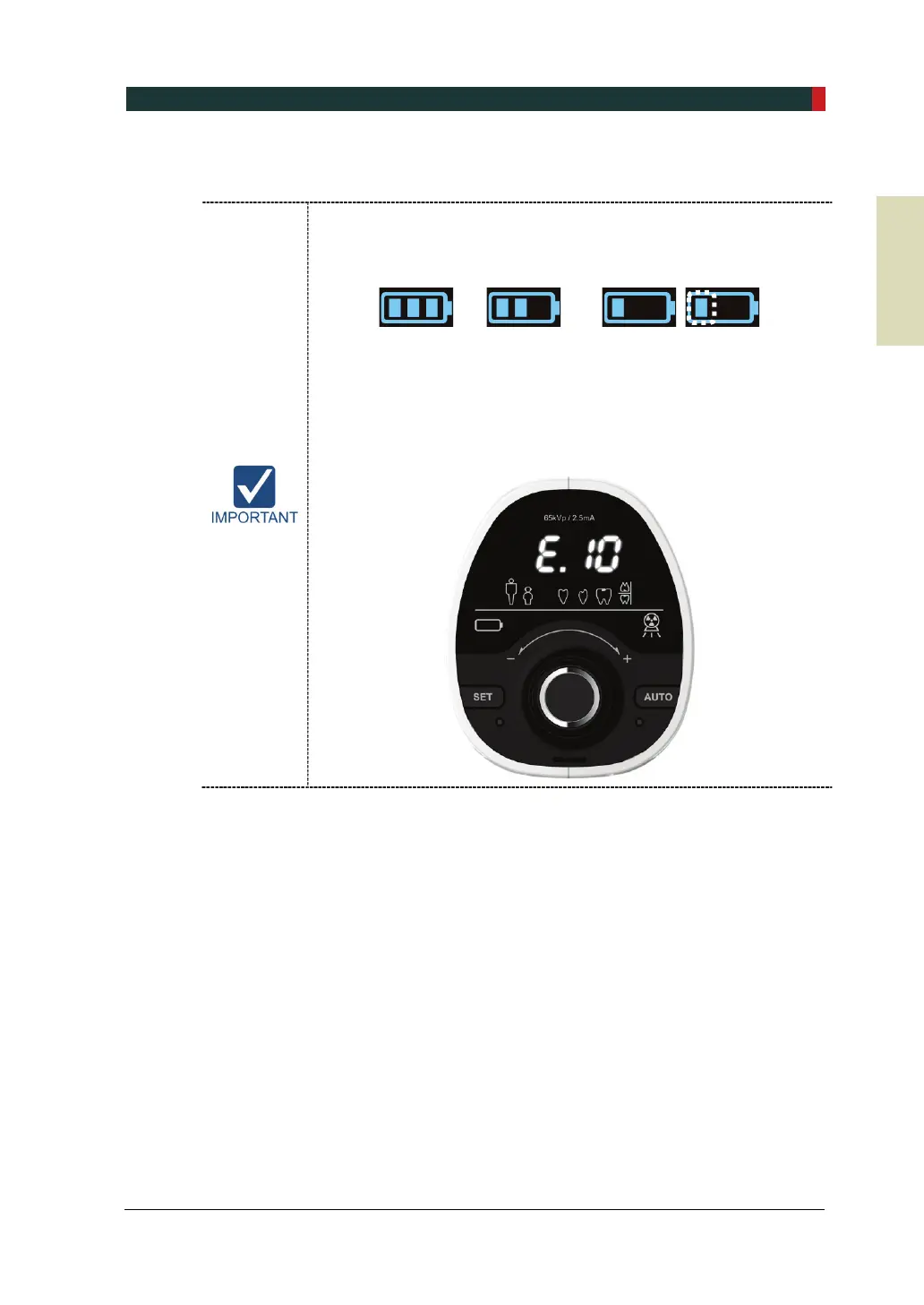
Battery level indicator with residual quantity is shown on the left side of
the Control Panel. When the battery indicator has one flickering light
(level 1), charge the battery immediately. Refer to the battery levels as
shown below.
Level 3 Level 2 Level 1
If the battery is not charged for about an hour, the battery voltage
becomes low. At this level, all displays are turned off except for the
error code E.10 as shown in the following figure, so exposure cannot
be performed. After the device is connected to the battery charger, and
the battery level becomes ‘Level 1’, all functions are returned to
normal operation.













 To Next Page