8. Setting up PC’s Environment Variables
90 PaX-i Plus / Insight (Model: PCH-30CS) Installation Manual
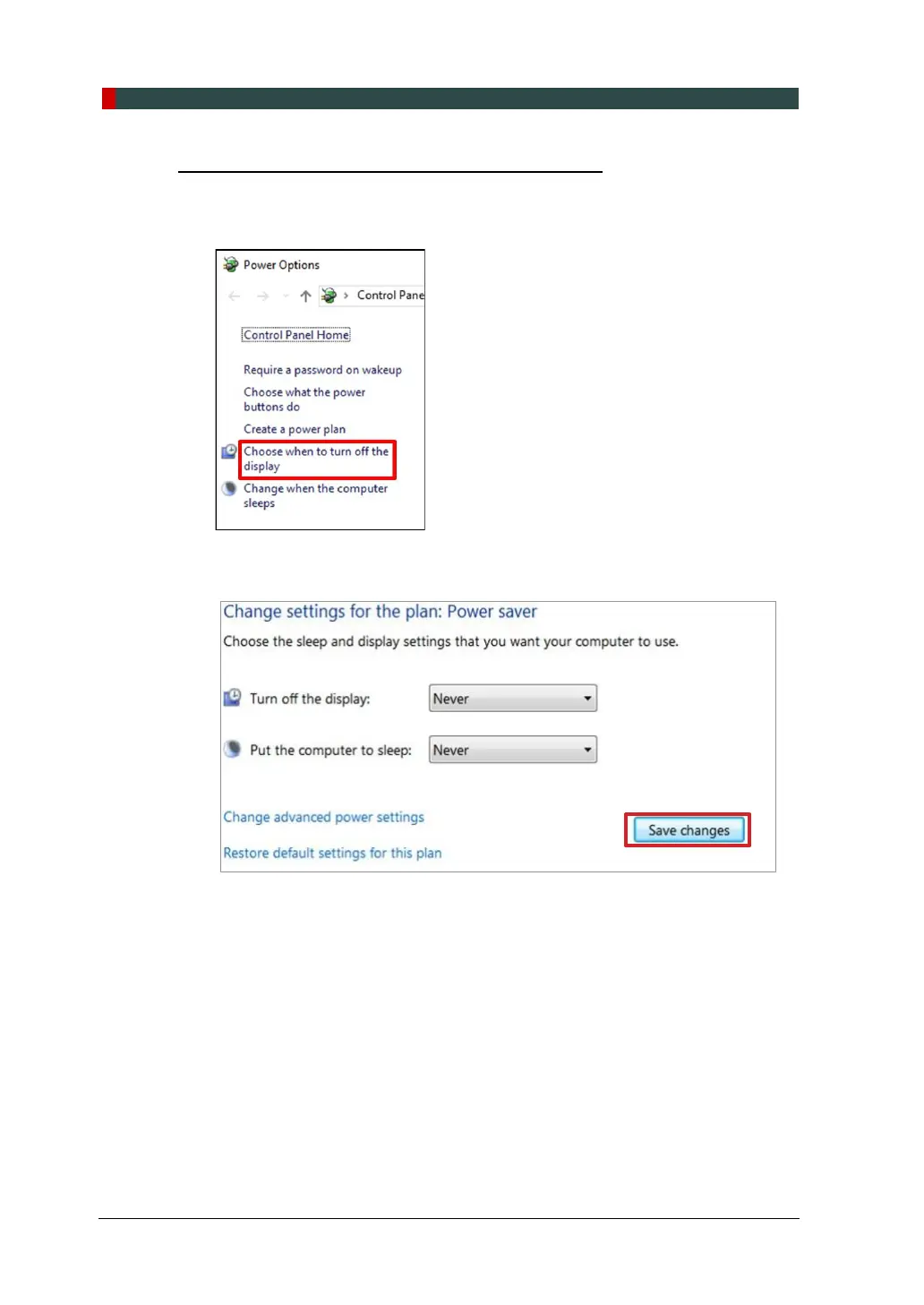
Selecting the Power Options: Monitor and System
1. Open the Start screen, type Power Options in the search box.
2. Click Choose when to turn off the display.
3. Select Never for both Turn off the display and Put the computer to sleep fields.
4. Click Save changes to apply the settings.












 To Next Page