▪ Always check the cable condition visually. Surprisingly,
unexpected errors affecting image acquisition arise from
the bad cable or its bad contact condition.
▪ Connect the regular cables for PC: keyboard, mouse,
and video in advance.
▪ The following figures and descriptions are based on the
recommended PC system described in 7.2 The
Recommended PC Requirements.
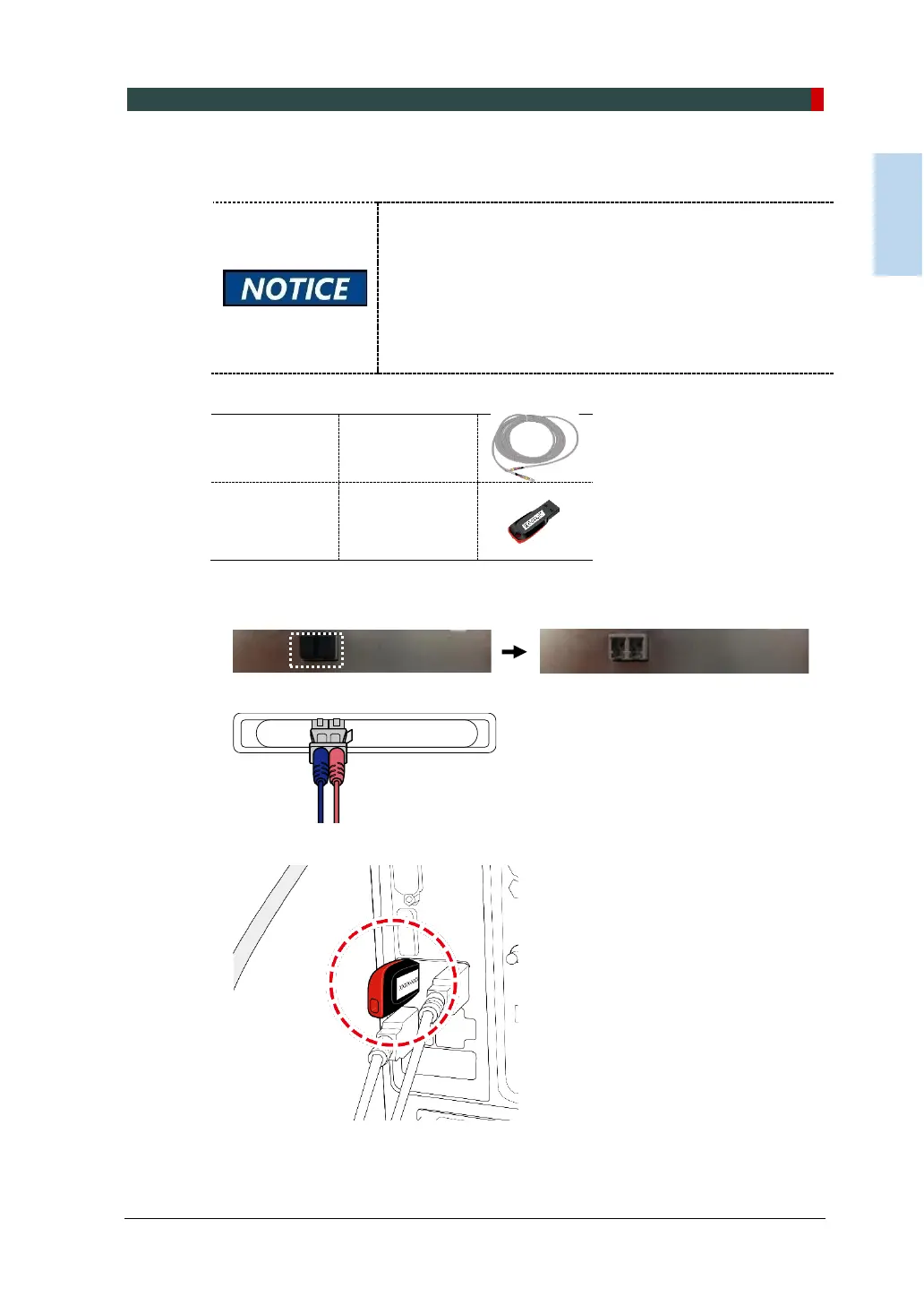
1. Remove the caps of the fiber optic cable.
2. Connect the Fiber Optic Cable.
3. Insert the EzDent-i USB Key into a USB port.












 To Next Page