EasyManua.ls Logo

Vatech PCH-30CS - Page 94

Vatech PCH-30CS
152 pages
Print Icon
To Next Page IconTo Next Page
To Previous Page IconTo Previous Page
Loading...
7. Setting up PC
84 PaX-i Plus / Insight (Model: PCH-30CS) Installation Manual
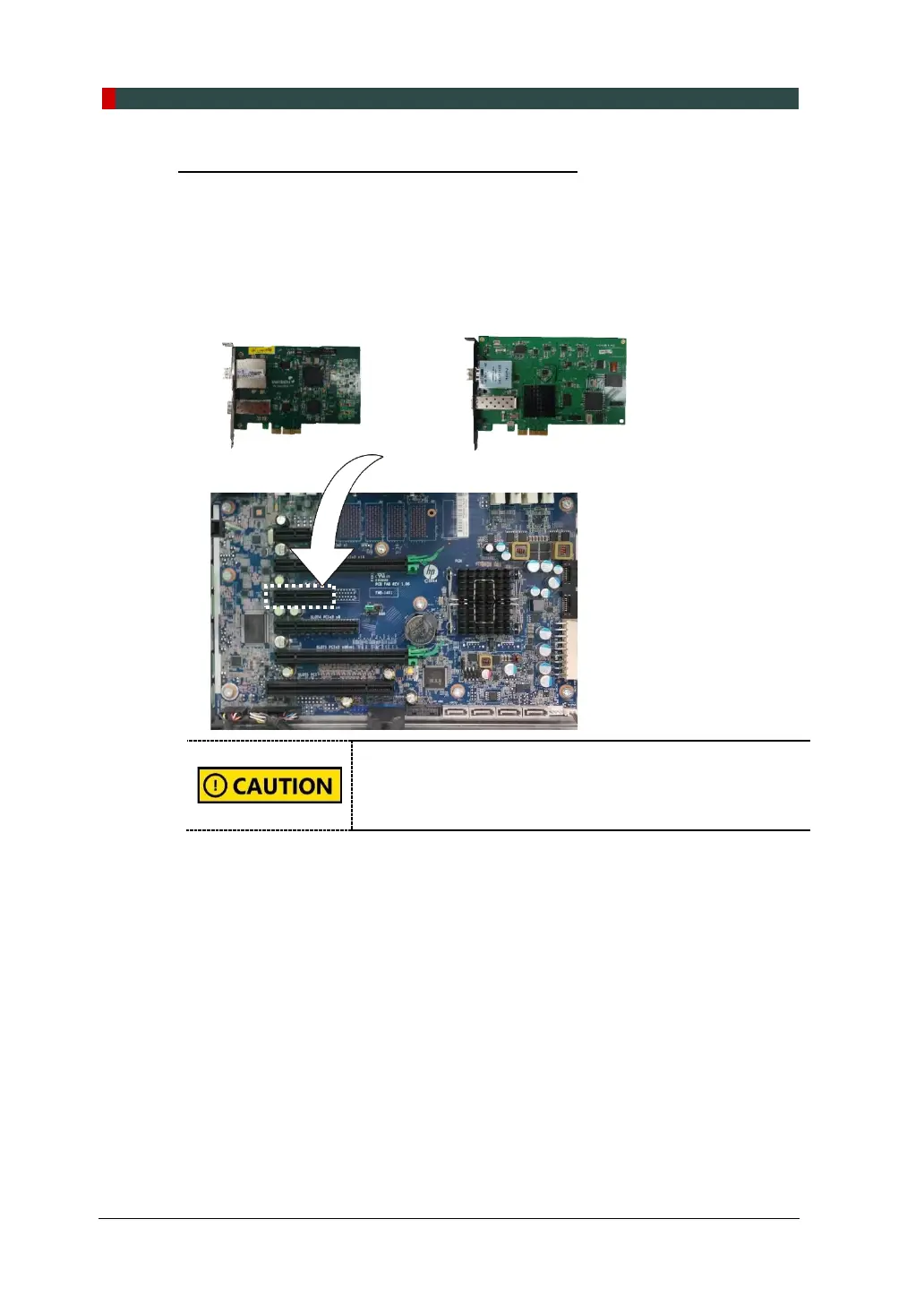
Installing the Fiber Optic Frame Grabber Board
1. Unplug the power cable from the back of t h e PC and wait for a while.
2. Open the PC cover.
3. Insert the fiber grabber board (Part No. 21) carefully into that PCIe2 x 4 slot
and lock it.
or
Double-check the locking status between the board and its
holder after the board installed. A bad insertion of the board
into the PC slot could cause failure for Dark calibration data
acquisition or noisy image acquisition.
4. Put the slot holder back to its initial position.

Table of Contents

Other manuals for Vatech PCH-30CS

Related product manuals