EasyManua.ls Logo

Vatech PCH-30CS - Page 108

Vatech PCH-30CS
152 pages
Print Icon
To Next Page IconTo Next Page
To Previous Page IconTo Previous Page
Loading...
9. Installing Software
98 PaX-i Plus / Insight (Model: PCH-30CS) Installation Manual
10. Select the language and click Next.
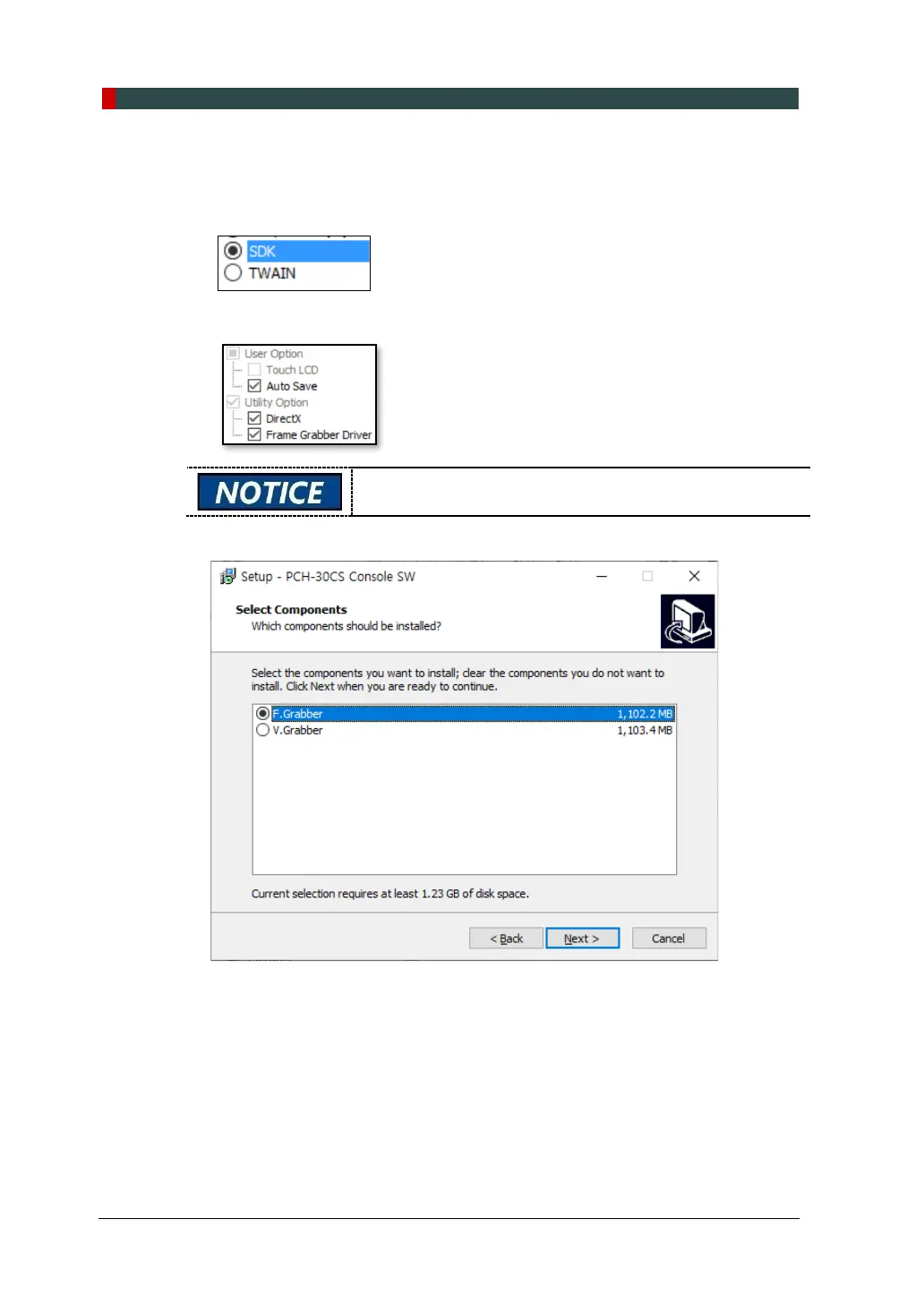
11. Select the 3
rd
party software in use and click Next. when EzDent-i is installed,
select SDK. Then, click Next to continue.
12. Check the options according to the product specifications.

When the AutoSave is checked, the image data acquired
saved automatically.
13. Select the components according to the product specifications.

Table of Contents

Other manuals for Vatech PCH-30CS

Related product manuals