EasyManua.ls Logo

Vatech PCH-30CS - Installing Wall and Column Brackets

Vatech PCH-30CS
152 pages
Print Icon
To Next Page IconTo Next Page
To Previous Page IconTo Previous Page
Loading...
4. Installing the Equipment: Base Stand (Optional)
46 PaX-i Plus / Insight (Model: PCH-30CS) Installation Manual
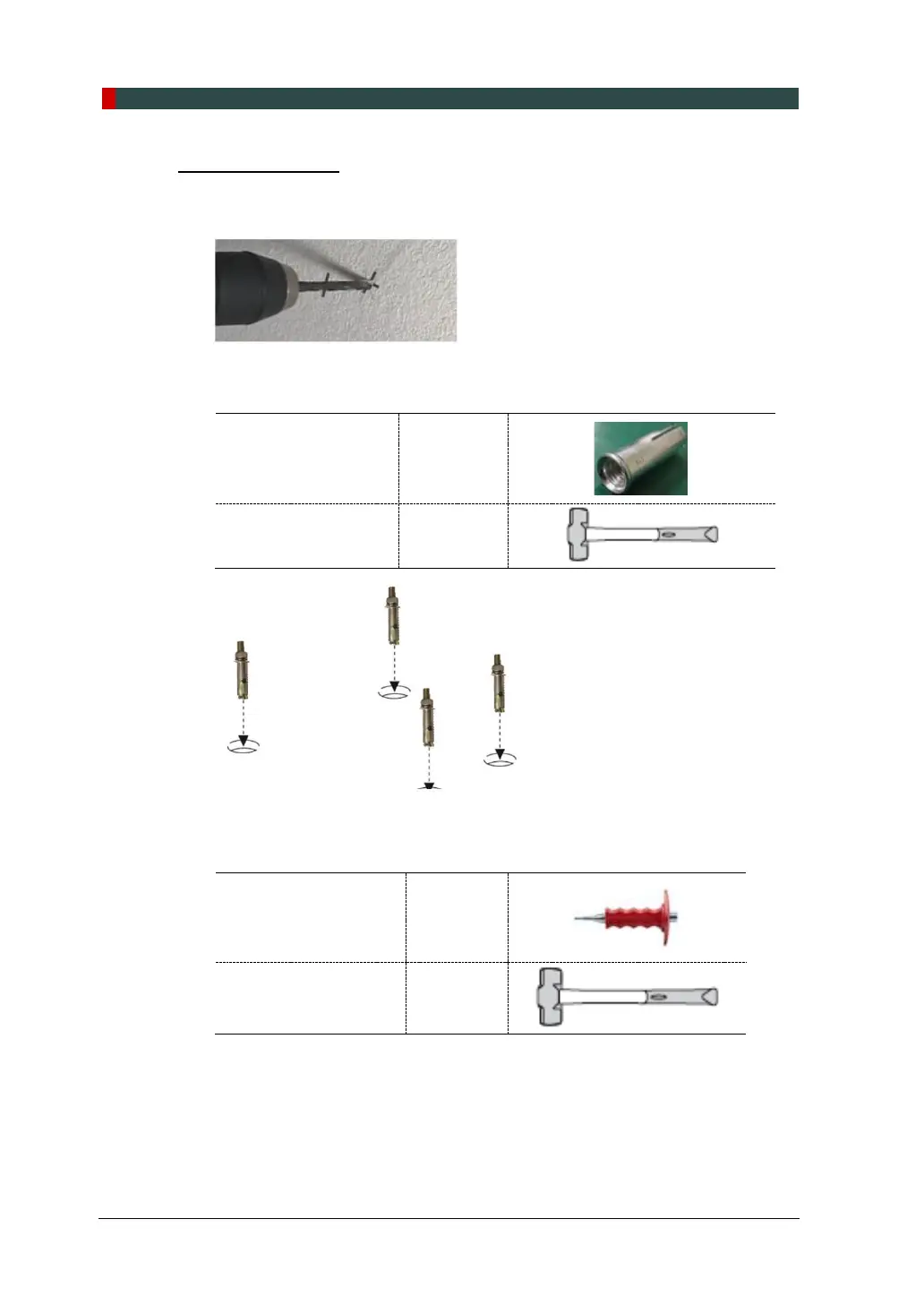
Drilling on the Wall
1. Drill the wall holes of size 10.5 mm x 30 mm (depth) using the concrete hammer
drill.
2. Remove the debris and clean the holes using the dust pump.
3. Using the hammer, insert a Ficher strong anchor into the hole.

Ficher Strong Anchor
M8 x 30
Hammer
N/A
4. Using the hammer, insert an EHS tool into the inner bolt.
EHS Tool
EAW H
8x30
Hammer
N/A

Table of Contents

Other manuals for Vatech PCH-30CS

Related product manuals