EasyManua.ls Logo

Vatech PCH-30CS - Page 79

Vatech PCH-30CS
152 pages
Print Icon
To Next Page IconTo Next Page
To Previous Page IconTo Previous Page
Loading...
5. Installing the Equipment: Wall Mount
PaX-i Plus / Insight (Model: PCH-30CS) Installation Manual 69
English
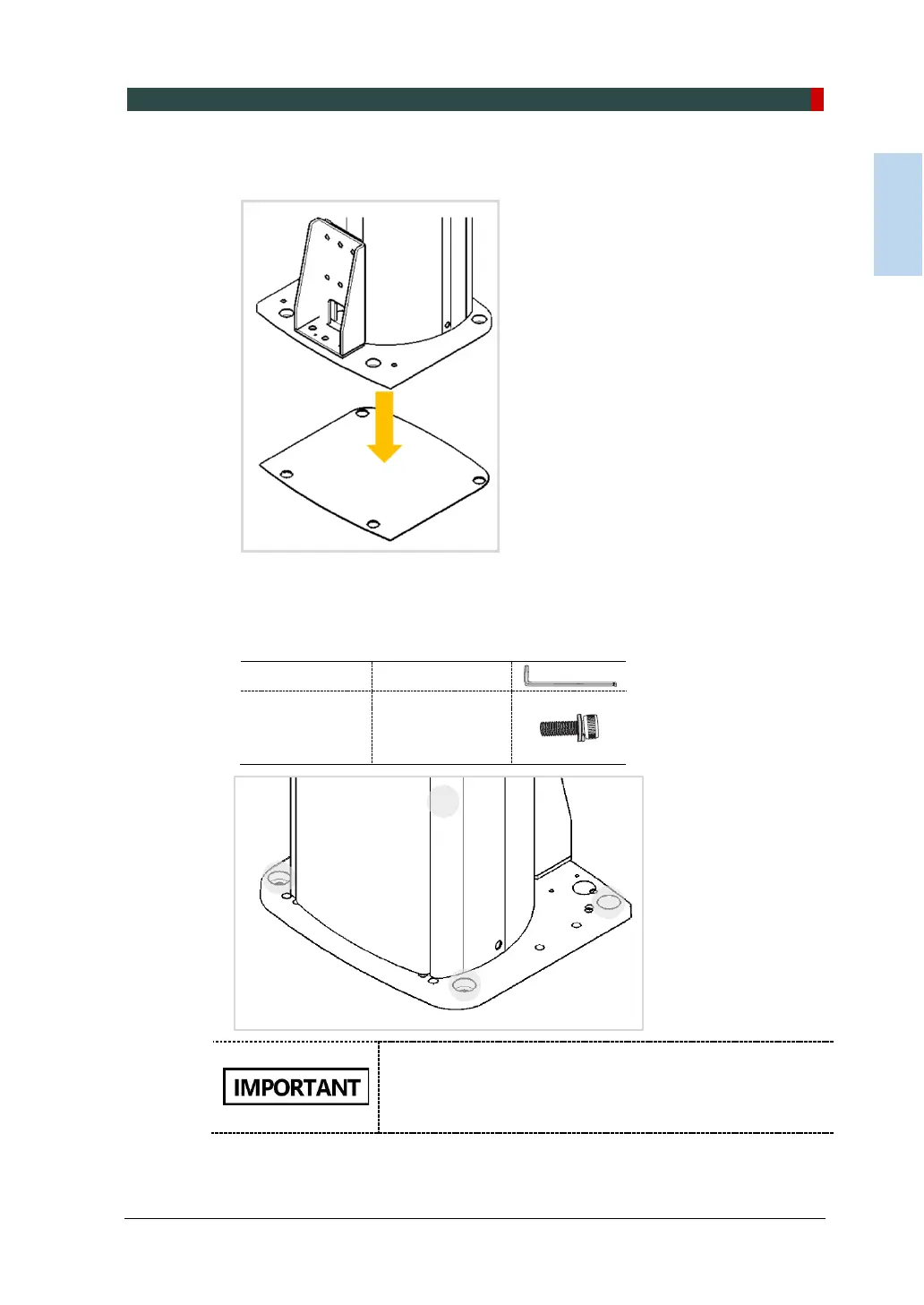
3. Put the Equipment on the aligning plate while making sure that the column bottom
holes engage in the anchored bolts.
4. Put the washers and nuts into the six anchored bolts on the floor and tighten the
nuts loosely. Make sure that you put the fasteners in the sequence as shown in
the figure.
Allen Wrench
8 mm / 0.3”
Wrench Bolt
M10 x 20
w/ Spring
(Part No. 23)
Do not tighten the nuts until the leveling is completed.
While one installer is tightening the nuts, the other
installers should hold the middle handle to prevent the
equipment from falling.

Table of Contents

Other manuals for Vatech PCH-30CS

Related product manuals