7. Setting up PC
82 PaX-i Plus / Insight (Model: PCH-30CS) Installation Manual
Disabling Windows Defender
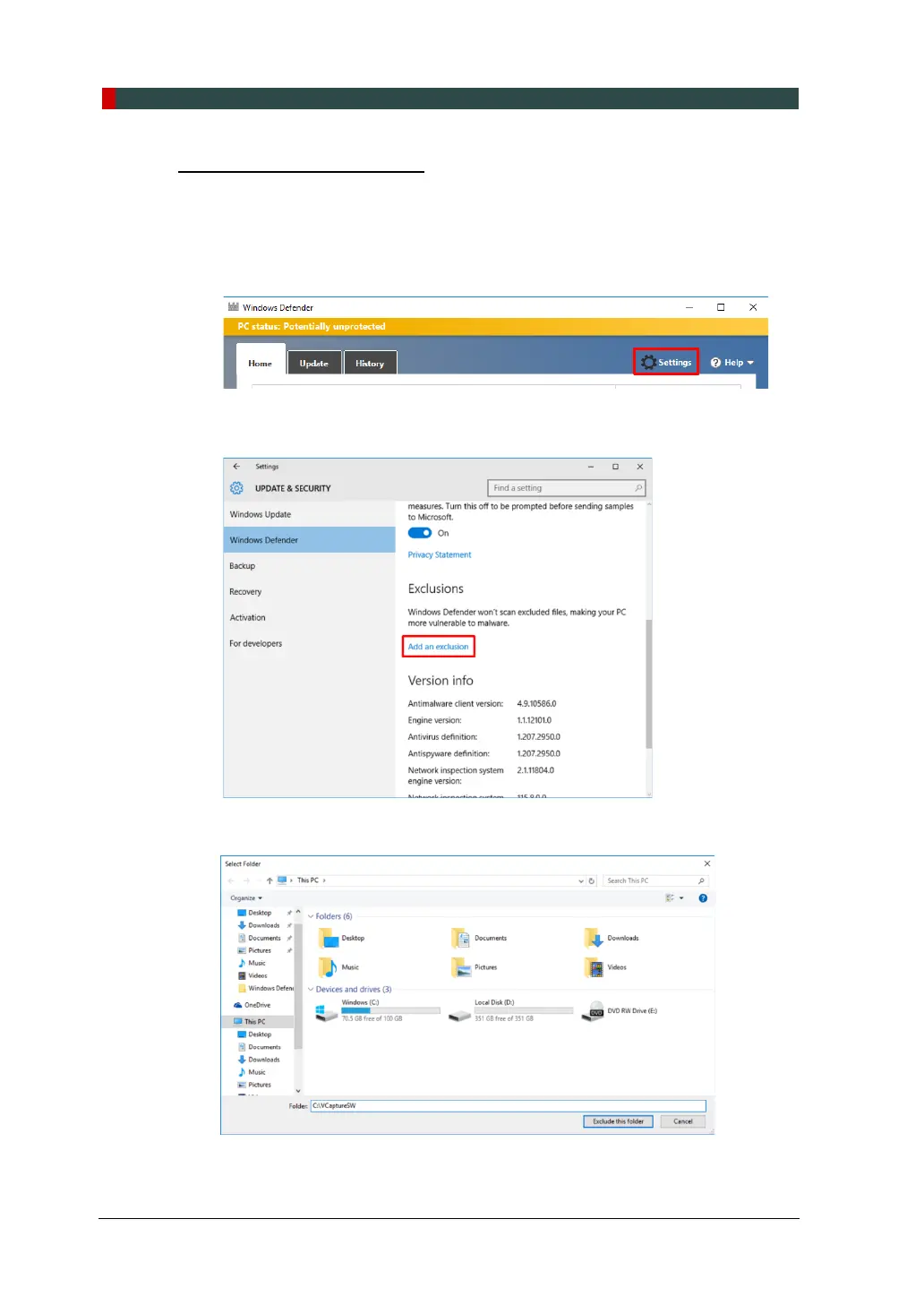
1. Open the Start screen, type Windows Defender in the search box.
2. Click the Windows Defender icon to start Windows Defender on the search
result.
3. Click the Settings icon.
4. On the Settings window, click Add an exclusion in the Exclusions section.
5. On Select Folder window, type C:\VcaptureSW in the folder field and click
Exclude this folder.












 To Next Page