104 Instruments and controls
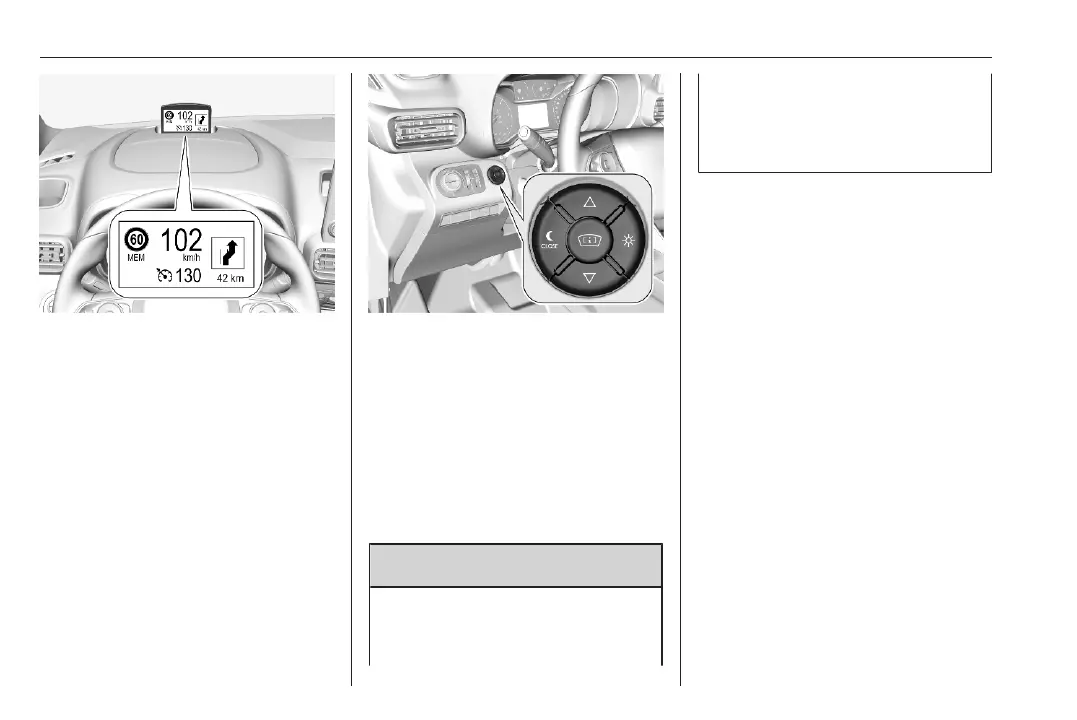
Head-up display shows:
● vehicle speed
● speed limits detected by the
speed sign recognition
● set speed of speed limiter
● set speed of cruise control
● forward collision alert
● navigation information.
Switching on
Press e to switch on the head-up
display.
Adjust position of head-up display
image
Press ä or å to centre the image. It
can only be adjusted up and down,
not side to side.
9 Warning
If the head-up display image is too
bright or too high in your field of
view, it may obstruct your view
when it is dark outside. Be sure to
keep the head-up display image
dim and placed low in your field of
view.
Adjust brightness
The head-up display image will
automatically dim and brighten to
compensate for outside lighting.
Brightness can also be adjusted
manually as needed:
Press e to brighten the display. Press
æ to dim the display.
The image can temporarily illuminate
depending on angel and position of
sunlight.
Switching off
Press æ and hold to turn the head-up
display off.
Language
Preferred language can be set in
vehicle personalisation menu 3 107.













 To Next Page