Instruments and controls 105
Units
Units can be changed in vehicle
personalisation menu 3 107.
Care of head-up display
Clean the screen of the head-up
display with a soft cloth sprayed with
glass cleaner. Wipe the lens gently,
then dry it.
System limitations
Head-up display may not operate
properly when:
● The lens in the instrument panel
is covered by objects or not
clean.
● Display brightness is too dim or
bright.
● Image is not adjusted to the
proper height.
● The driver wears polarized
sunglasses.
If the head-up image is not correct for
other reasons, contact a workshop.
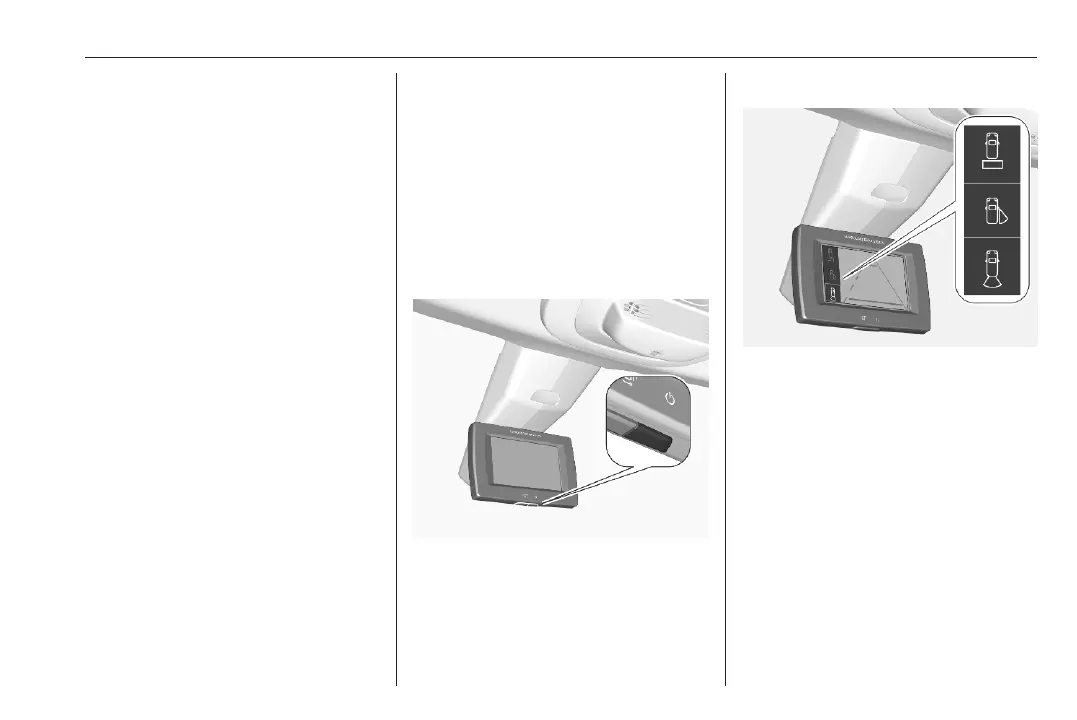
Rear view display
The rear view display is located at the
position of the interior mirror.
It provides the following views:
● standard rear view 3 26
● close rear view 3 276
● passenger side view 3 272
Switching on
Press m and confirm the message
with p.
Selecting a view
Select the standard rear view or
passenger side view by pressing the
p on the bottom side.
Close rear view is automatically
activated when reverse gear is
engaged.
Switching off
Press m.













 To Next Page