278 Driving and operating
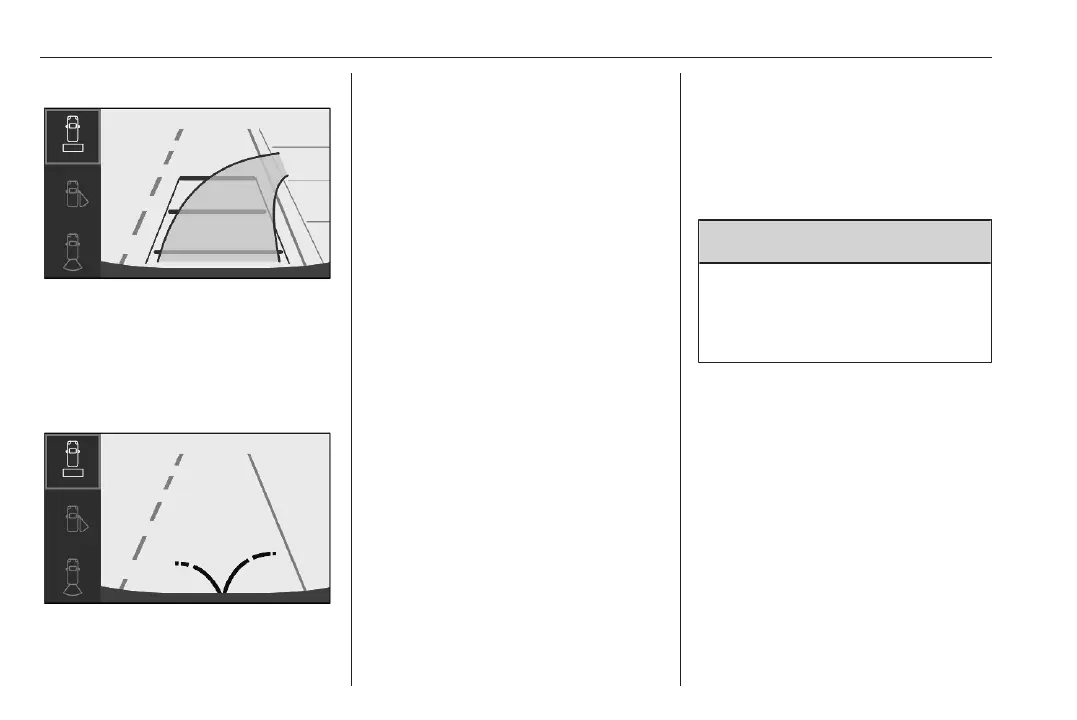
Trajectory lane of the vehicle is
shown in accordance with the
steering angle.
Additionally the opening radius of the
rear doors are shown in the rear view
display.
Switching off
The rear view camera is switched off
when the rear view display is
switched off.
System limitations
The rear view camera may not
operate properly when:
● the surrounding is dark
● the beam of headlights is shining
directly into the camera lenses
● weather limits visibility, such as
fog, rain, or snow
● the camera lenses are blocked
by snow, ice, slush, mud, dirt.
Clean the lense, rinse with water,
and wipe with a soft cloth
● the tailgate will be opened
● the vehicle is towing an
electrically connected trailer,
bicycle carrier, etc.
● the vehicle had a rear end
accident
● there are extreme temperature
changes
Traffic sign assistant
9 Warning
The actual traffic sign always
takes priority over the traffic sign
displayed in the Driver Information
Centre.
Speed limit
Using the camera at the top of the
windscreen and the vehicle's
integrated navigation system, this
system provides speed limits and end
of speed limits in the Driver
Information Centre.
The system can be activated or
deactivated in the vehicle
personalisation 3 107.
If the system is activated but does not
detect a speed limit sign, the following
sign is displayed:













 To Next Page