Lighting 117
Lighting features
Centre console lighting
A spotlight integrated in the overhead
console illuminates the centre
console when headlights are
switched off.
The intensity can be adjusted in the
vehicle personalisation 3 107.
Entry lighting
Welcome lighting
Some or all of the following lights are
switched on for a short time by
unlocking the vehicle with the radio
remote control:
● headlights
● tail lights
● interior lights
The number of activated lights
depends on the surrounding light
conditions.
The lighting switches off immediately
when the ignition is switched on.
Starting off 3 218.
This function can be activated or
deactivated in the vehicle
personalisation 3 107.
The following lights will additionally
switch on when the driver's door is
opened:
● illumination of some switches
● Driver Information Centre
Exit lighting
The following lights are switched on if
the key is removed from the ignition
switch:
● interior lights
● instrument panel light
They will switch off automatically after
a delay. This function works only in
the dark.
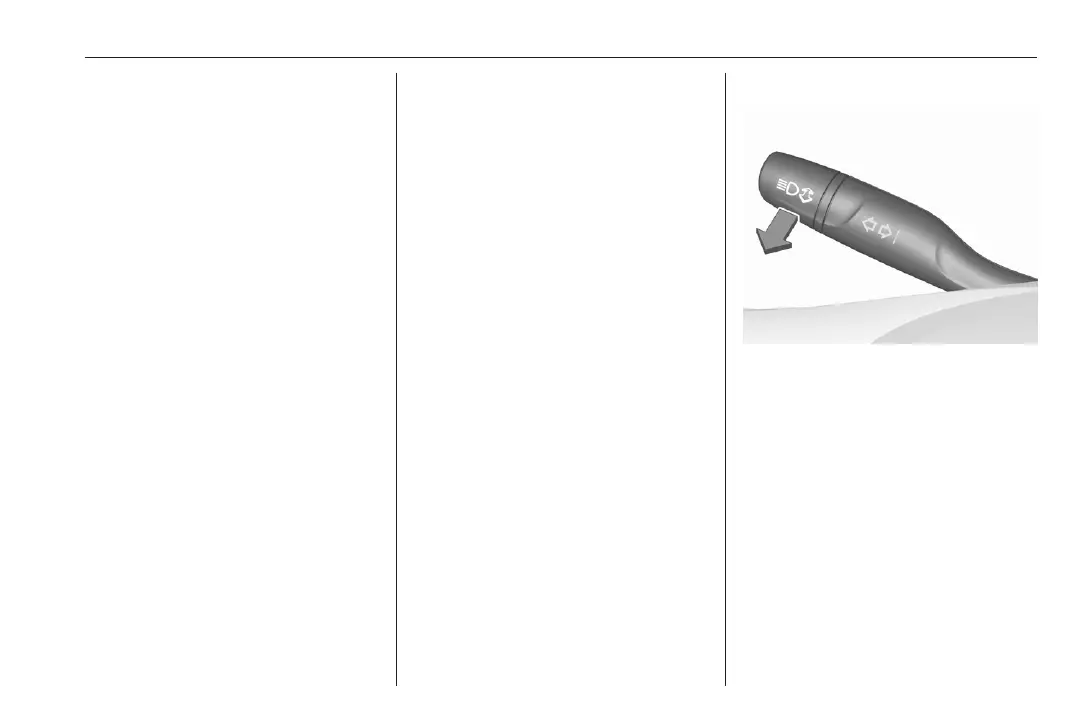
Path lighting
Headlights, tail lights and number
plate lights illuminate the surrounding
area for an adjustable time after
leaving the vehicle.
Activating
1. Switch off the ignition.
2. Open the driver's door.
3. Pull the indicator lever.
4. Close the driver's door.
If the driver's door is not closed, the
lights switch off after two minutes.
Exit lighting is switched off
immediately if the indicator lever is
pulled while the driver's door is open.
This function can be activated or
deactivated in the vehicle
personalisation 3 107.
Info Display 3 102.













 To Next Page