12 Keys, doors and windows
Unlocking
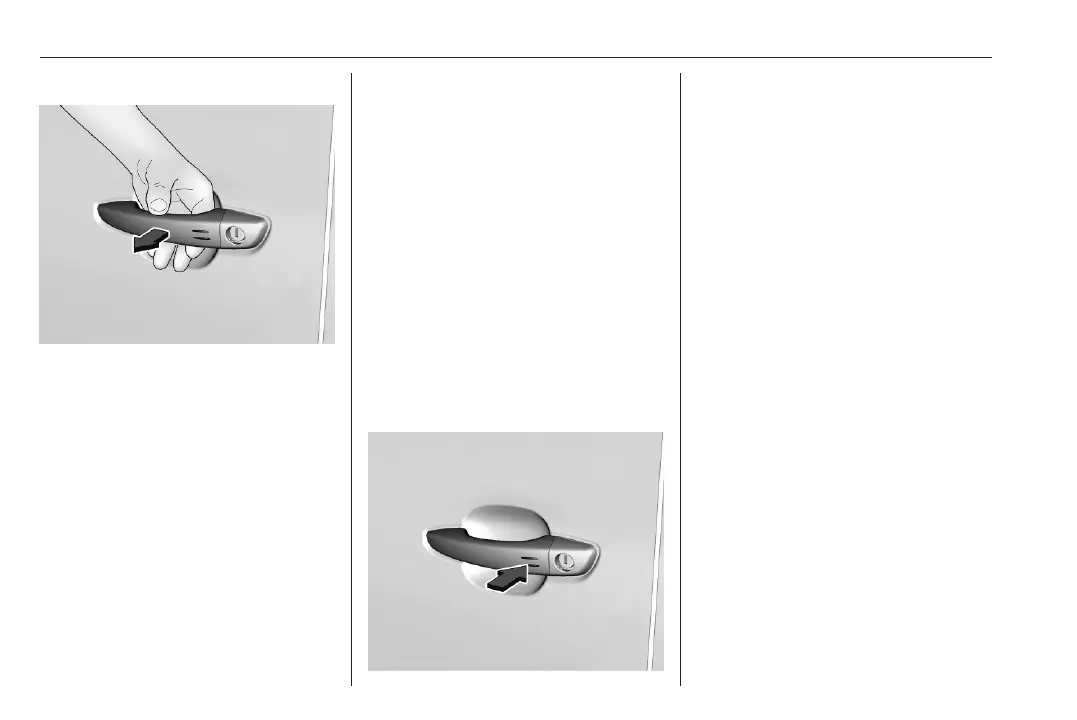
Pass a hand behind the door handle
of one of the front doors or the rear
door to unlock the vehicle or press the
middle tailgate button.
Keep the hand behind the door
handle or keep the tailgate button
pressed to open the windows.
Unlocking mode can be set in the
vehicle personalisation menu in the
Info Display. Two settings are
selectable:
● All doors, load compartment and
fuel filler flap will be unlocked by
passing a hand behind one of the
front door handles or the handle
of the rear door. If the vehicle is
equipped with a tailgate, press
the tailgate button.
● Only the front doors and the fuel
filler flap will be unlocked by
passing a hand behind one of
front door handles.
Vehicle personalisation 3 107.
Unlocking the load compartment
Only the load compartment, i.e., the
rear door or the tailgate, will be
unlocked by passing a hand behind
the rear door handle or pressing the
tailgate button.
Locking
Press with a finger or thumb on one
of the door handles (at the markings)
or press the tailgate button.
All doors, load compartment and fuel
filler flap will be locked.
If the vehicle is not closed properly,
the electronic key remains in the
vehicle or the ignition is not off,
locking will not be permitted.
Confirmation
Operation of central locking system is
confirmed by the hazard warning
flashers.
Central locking button
Locks or unlocks all doors and the
load compartment from inside the
passenger compartment. If the
vehicle is equipped with electronic
key system, the fuel filler flap is locked
or unlocked, too.













 To Next Page