144 Infotainment system
Storing your favourite addresses
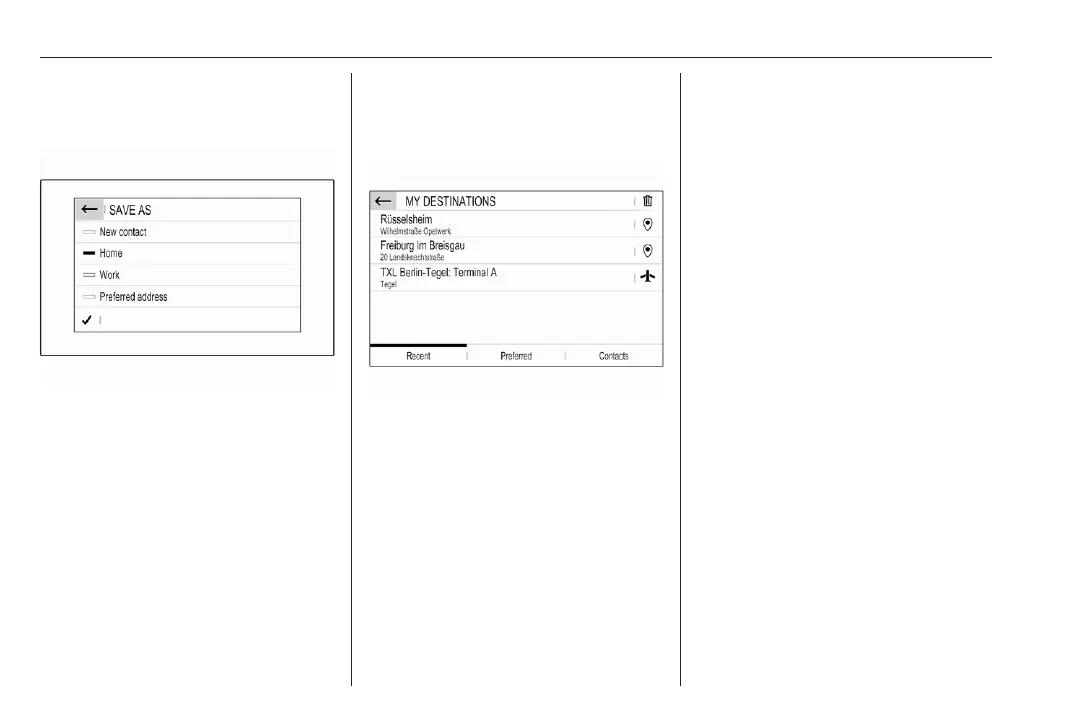
If you want to store the entered
address, select ü.
You may store the address as, e.g.,
your Home address or your Work
address.
Select the desired option, confirm
your selection and then enter a name
for the address.
The stored address can then be
easily selected as destination
address via the destination lists
Preferred or Contacts, see below.
Destination lists
Select MENU and then select My
destinations.
Select Recent to display a list of all
recently entered destinations.
Select Preferred to display all
destinations which were stored
before as home address, work
address or preferred address.
Select Contacts to display a list with
contact names and all related
addresses stored before as personal
contacts.
To start route guidance to the
respective address, select a list entry.
For a detailed description on route
guidance.
Points of interest
A point of interest (POI) is a specific
location that might be of general
interest, e.g. a petrol station, a
parking area or a restaurant.
The data stored within the navigation
system contains a great number of
predefined POIs, which are indicated
on the map (if activated).
Selecting a POI from the map
Touch the desired POI icon on the
map. The map centres around this
location.
Touch the icon again.
A red d is displayed at the respective
location and the corresponding
address is shown on a label.
To start route guidance, select û.
For a detailed description on route
guidance.













 To Next Page