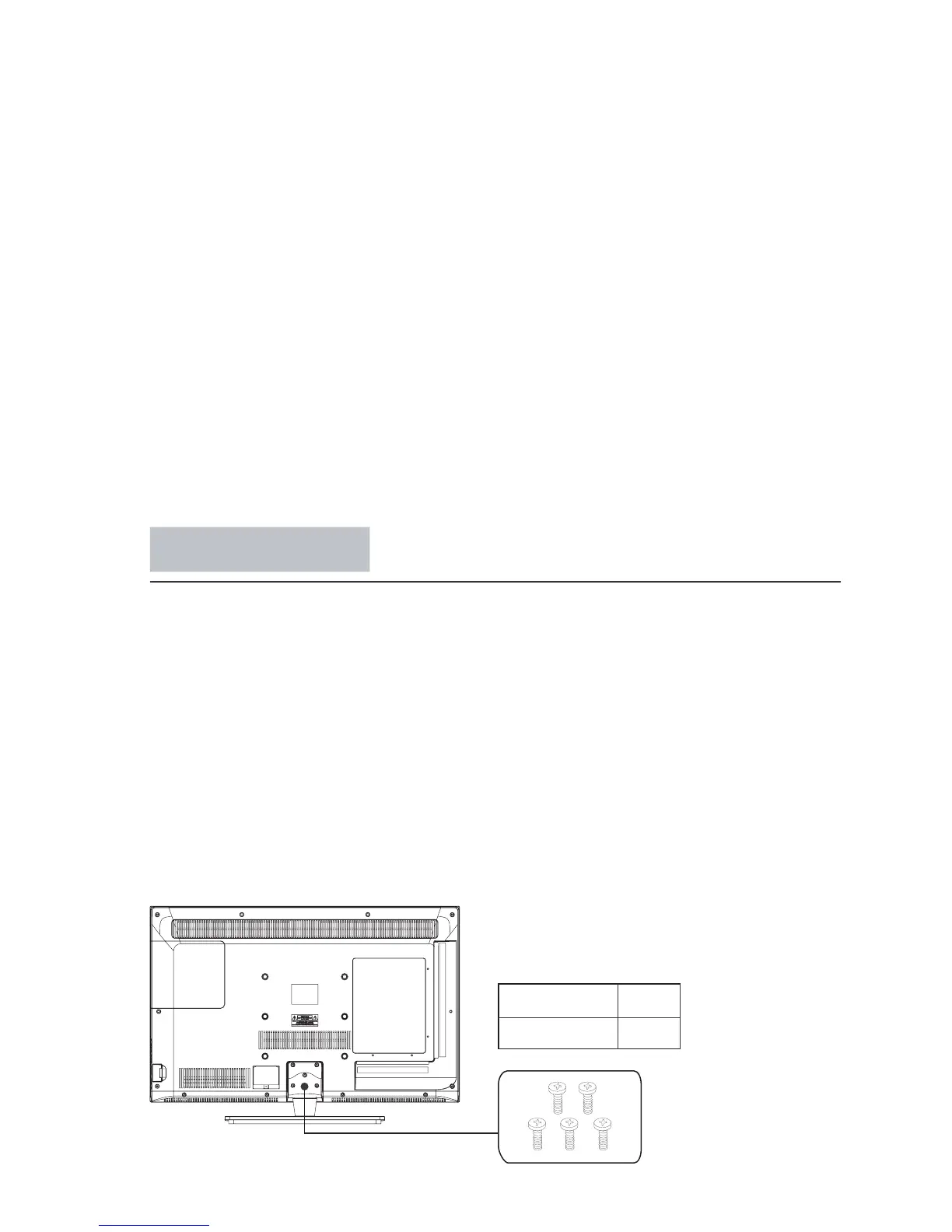
5pcsM4 x 12mm
Your TV is packaged with the TV stand separated from the cabinet. To setup the TV table stand,
please carry out the installation according to the instructions below.
Step One
Place the TV faced down on a soft cloth or cushion to prev
ent the panel from being damaged.
Note:
1. The panel is easy to scratch, so please choose an absolu
tely flat surface to place the
TV, and use soft cloth or cushion to protect the TV panel. Do not put TV on table directly.
2. Always unplug the AC cord first when installing or removing the stand.
Step Three
Insert the fiv
e M4 screws (which are totally the same) and tighten them.
Step Two
Take the sta
nd. Please align the screw holes of the stand and TV.
Stand Installation
Pedestal Screws Quantity
Handing and cleaning the screen surface/cabinet of the TV set
Optional Equipment
Be sure to unplug the AC power cord connected to the TV set form AC power outlet
before cleaning.
To avoid material degradation or screen coating degradation, observe the following
precautions.
To remove dust form the screen surface/cabinet, wipe gently with a soft cloth of dust is
persistent, wipe with a soft cloth slightly moistened with a diluted mild detergent solution.
Never use any type of abrasive pad, alkaline/ acid cleaner, scouring powder, or volatile
solvent, such as alcohol, benzene, thinner or insecticide. Using such materials or main-
taining prolonged contact with rubber or vinyl materials may result in damage to the
screen surface and cabinet material .
When adjusting the angle of the TV set, move it slowly so as to prevent the TV set form
moving or slipping off from its table stand.
Keep optional components or any equipment emitting electromagnetic radiation away
from the TV set. Otherwise picture distortion and/or noisy sound may occur.



 To Next Page