二、When in standby mode, the system will finish recording programme according
to the recording task list. Make sure that external USB device is connecting.
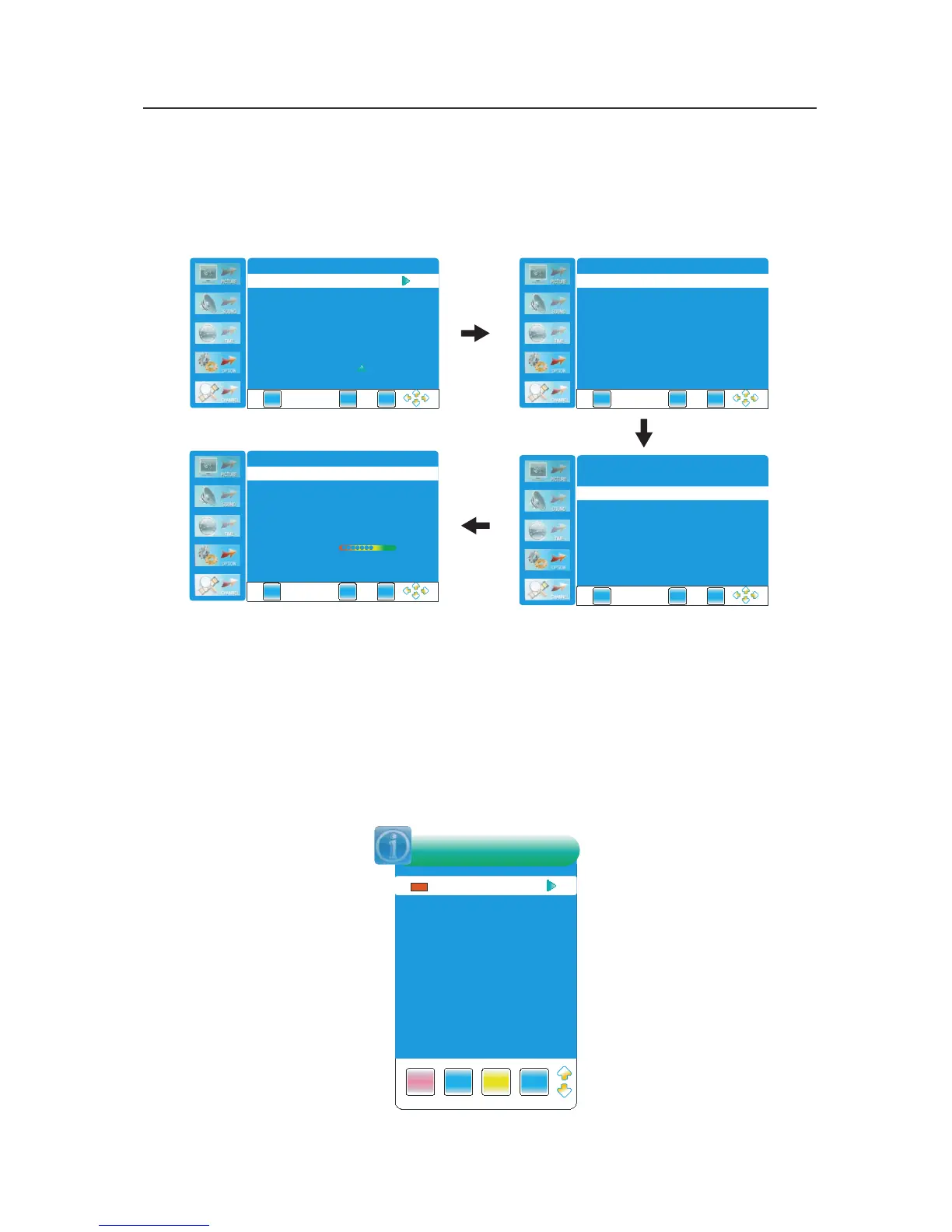
When the storage device is detected for the first time as a record, you need to format
to achieve the following functions: Enter the OPTION menu,press ENTER or
► to
DVR File System
:
三、Play a recorded file
Press the DVR.LIST button on the remote control to enter the Record List as shown:
Press the YELLOW button repeatedly to list the files named Program, Channel or Time.
Press the ▲▼ button to select desired file and press the ► or the DISPLAY button to
display the information of the program.
Press the ▲▼ button to select desired file and press the ENTER button to start to play.
During playing a recorded file, press the PAUSE button to pause and press the ►PLAY
button to resume.
It will go to DTV program playback after the recorded file is played.
Note: The OSD menu pictures are only for reference, the products are subject to material object.
As some kind of external hard disk may not be compatible with the TV. We suggest to use Buffalo Drive Station (USB2.0) 3.5"
1TB or below external hard disk for recording.
48
E X I T
M E N U
E N T E R
DVR File System
EXIT
ME NU
ENTE R
Check DVR File System
Start
USB Disk
Time Shift Size
Format
USB Disk Speed
Select Disk
C:
EXIT
ME NU
ENTE R
USB Disk
Time Shift Size
Format
USB Disk Speed
Check DVR File System
Start
Select Disk
C:
EXIT
ME NU
ENTE R
Check DVR File System SUCCESS
USB Disk
Time Shift Size
Format
USB Disk Speed
Select Disk
C:
Pass
Pass
512 MB
524 8KBS
Disk bit rate MB s PVR is safe at HD stream - > 4.5 /
DELETE
INFO
INDEX
ENTER
DVRLIST
Programme
News
News
Re cord



 To Next Page