ENGLISH
5150
BIKE
BIKETPC
SET
BIKETPC
SET
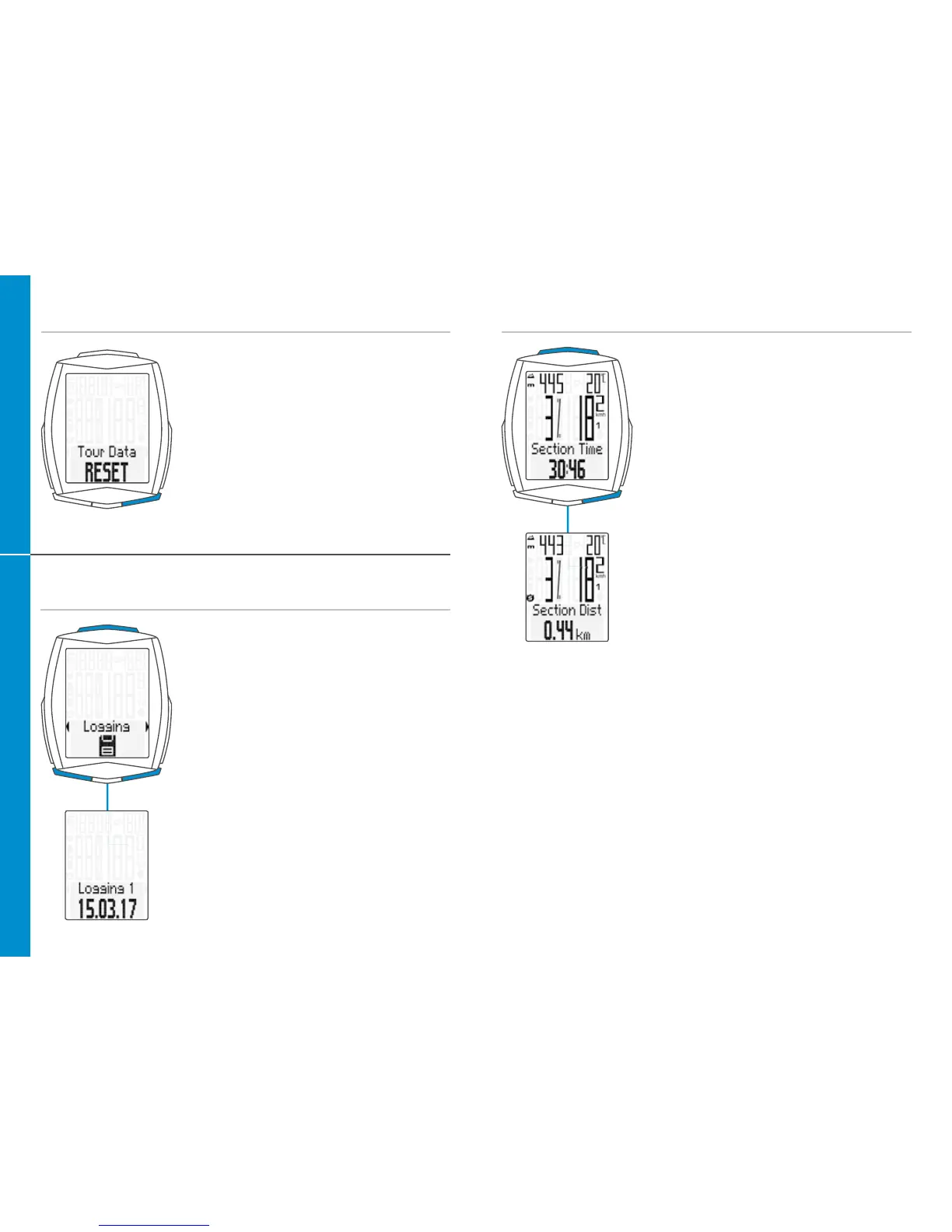
Resetting trip data to zero
– Press and hold the BIKE button
– The following message appears on
the display: Tour Data RESET
– Continue holding the BIKE button
Note: the distance, ride time, altitude data
and calories (if heart rate option is activated)
are all added to the total data.
Any trip record is automatically saved at
RESET and accessible under menu item
“LOGGING”.
Accessing the trip data from the memory
– Press and hold the SET button
– Open the Logging by pressing
the SET button
– Scroll in the logs:
Press the BIKE or TPC button
– View the log:
Press the SET button
– Scroll through the detailed trip data:
Press the BIKE or TPC button
– Exit the logs:
Press and hold the SET button
Notice: With the optionally available
VDO Docking-Station and the VDO Converter
software you are able to retrieve and save
all logs. (.fit-Format compatible with PC and
Android devices)
Starting/stopping a TRIP SECTION
– START: press the BIKE + SET buttons
simultaneously
– STOP: press the BIKE + SET buttons
simultaneously
– Re-START: press the BIKE + SET buttons
simultaneously again
– RESET: With “TRIP SECTION” selected and
displayed, press and hold the BIKE-button
ATTENTION: if the speed is ZERO, the trip section counter stops
automatically. If you continue the ride, the trip-section counter
continues automatically.












 To Next Page