DLKPro Inspection Key • Operating Instructions – Edition 03/2012 10
4 Performing a (roadside) inspection
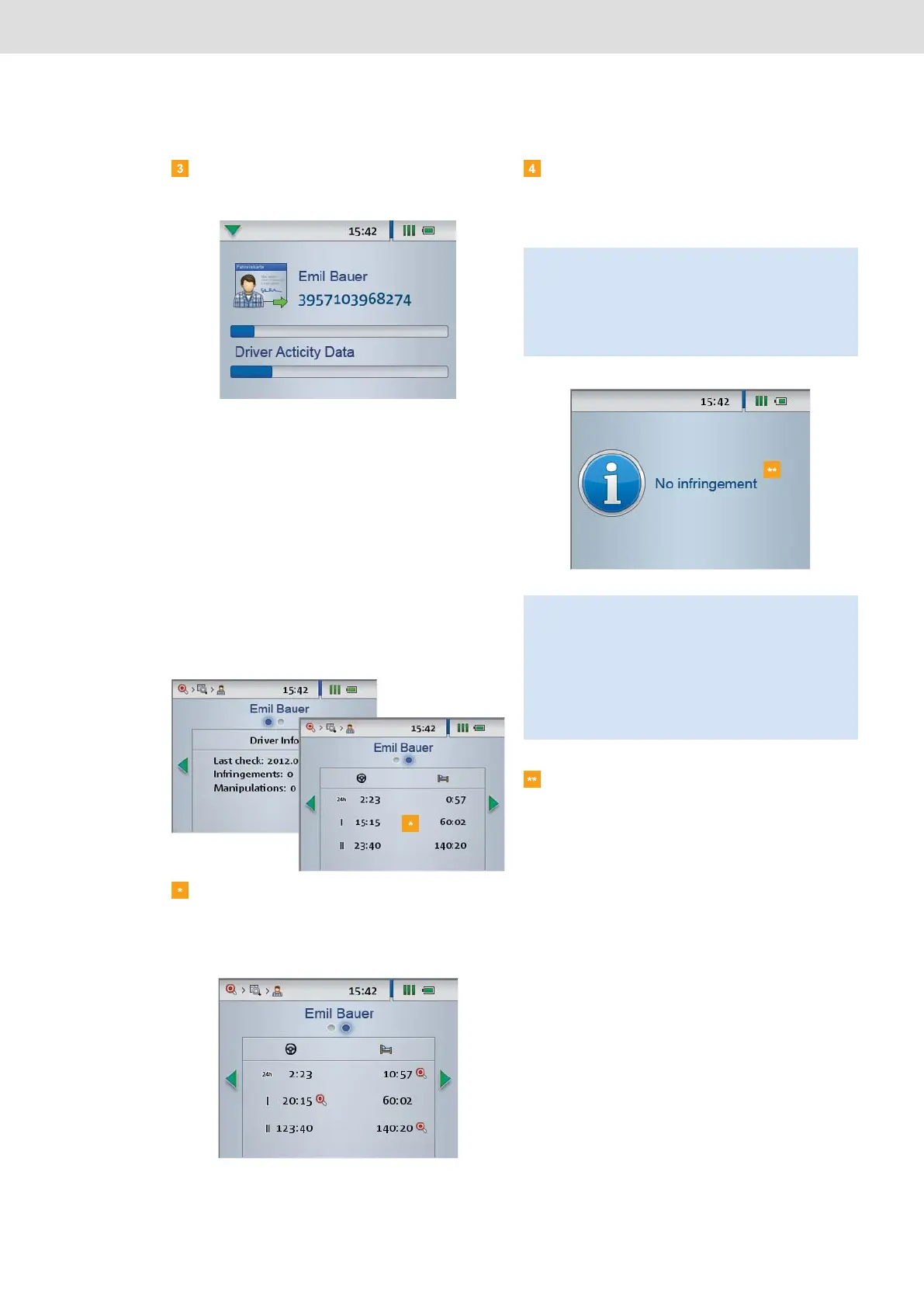
Use the integrated chip card reader to transfer the
driver card data to the DLKPro.
A progress bar shows how the download is
progressing.
When the download has finished, the Inspection Key
checks whether or not the card data reveals
• infringements of Regulation (EC) No. 561/2006
(Activities data block) and/or
• signs of suspected tampering (Events and
Faults data block relating to the driver card).
Suspicious events are denoted by
• intermittent beeps and
• a red LED.
The result of the check is displayed on the screen.
If no suspicious event is shown on the DLKPro
screen (green LED and beeps indicating a
successful download), you can terminate the check
now.
Carry out a quick check on the digital tachograph if
• the initial analysis of the driver card has revealed
an infringement (red LED, intermittent beeps) and
• the speed data should be analysed.
If no suspicious events are shown after the quick
check (green LED, beeps indicating a successful
download), you can terminate the check and
remove the DLKPro from the digital tachograph.
Note: The following data blocks will be downloaded for
the quick check:
• Technical Data,
• Events and Faults,
• Detailed Speed,
• Activities of the past 2 days.
Note:
• Before downloading data from a digital tachograph,
you must read and strictly observe the General
Information on page 3.
• A quick check and (if necessary) downloading the
data from the digital tachograph are only possible if
a company card, control card or workshop card is
inserted in card slot 2.


 To Next Page