u
Select “Time zone”, and press the OK key. Increase or decrease the
value using the cursor keys . Confirm by pressing the OK
key.
Time zone Standard time Daylight saving time
Central European Time
(Paris, Berlin)
+ 1:00 + 2:00
Greenwich Mean Time
(London)
0:00 + 1:00
Device configuration
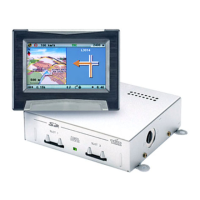
If a multimedia box, a TV tuner or a reversing camera is installed, the
respective option “Multimedia box connected”, “TV Tuner connected” or
“Rear view camera connected” must be activated. To switch options
on/off:
u
Select “General settings” in the “Settings” menu. Press the OK key.
u Select “Device config.”. Press the OK key.
u
Move the cursor to the desired option. Press the OK key to toggle
between active and inactive. When the “Multimedia box
connected” and/or “TV Tuner connected” options are active, the
function “TV/Video” will be displayed in the Start menu. This can
be used to switch from navigation to multimedia operation.
(Operation, ref. Operating Manual of the Multimedia box and the
TV tuner).
u
If a CI 3000/MG 3000 is connected this will be detected
automatically and will be shown here as activated. It does not
have to be selected.
u
Select “Store”, and press the OK key.
If the rear view camera has been connected correctly, and the setting
“Rear view camera connected” selected, the image from the reversing
camera will be displayed automatically, as soon as reverse gear is selected.
When the system is started the change-over to the reversing camera may
be subject to a delay.
25
GENERAL INFORMATION


 To Next Page