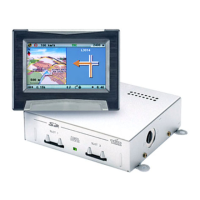
RC 5000
Ê
MAP - Switch between the route guidance screens.
Ë
MENU - Call up the Main menu.
Ì
Set the volume.
Í
Cursor keys as well as OK confirmation key.
Î
ALT-R - Plan an alternative route.
Ï
REP - Call up the current audible route guidance information.
Stand-by
You can switch the system to stand-by from the Main menu. Select
stand-by and press the OK key. The screen will switch off but the audible
navigation information will continue if external loudspeakers are
connected. If you wish to stop navigation, press the OK key while one of
the navigation screens is displayed. Select “Stop Navigation” and press
OK.
Inserting/changing the map DVD/CD
u
If the Power LED is illuminated, press the Eject key on the
navigation computer once (ignition must be switched on).
u
If the Power LED is not illuminated, press the Eject key twice. The
DVD/CD is ejected.
u
Remove the DVD/CD and insert the new map DVD/CD into the
drive carefully with the lettering facing upward, until it is drawn
in. After changing the map DVD/CD, the system will require several
seconds to initialise.
10
GENERAL INFORMATION


 To Next Page