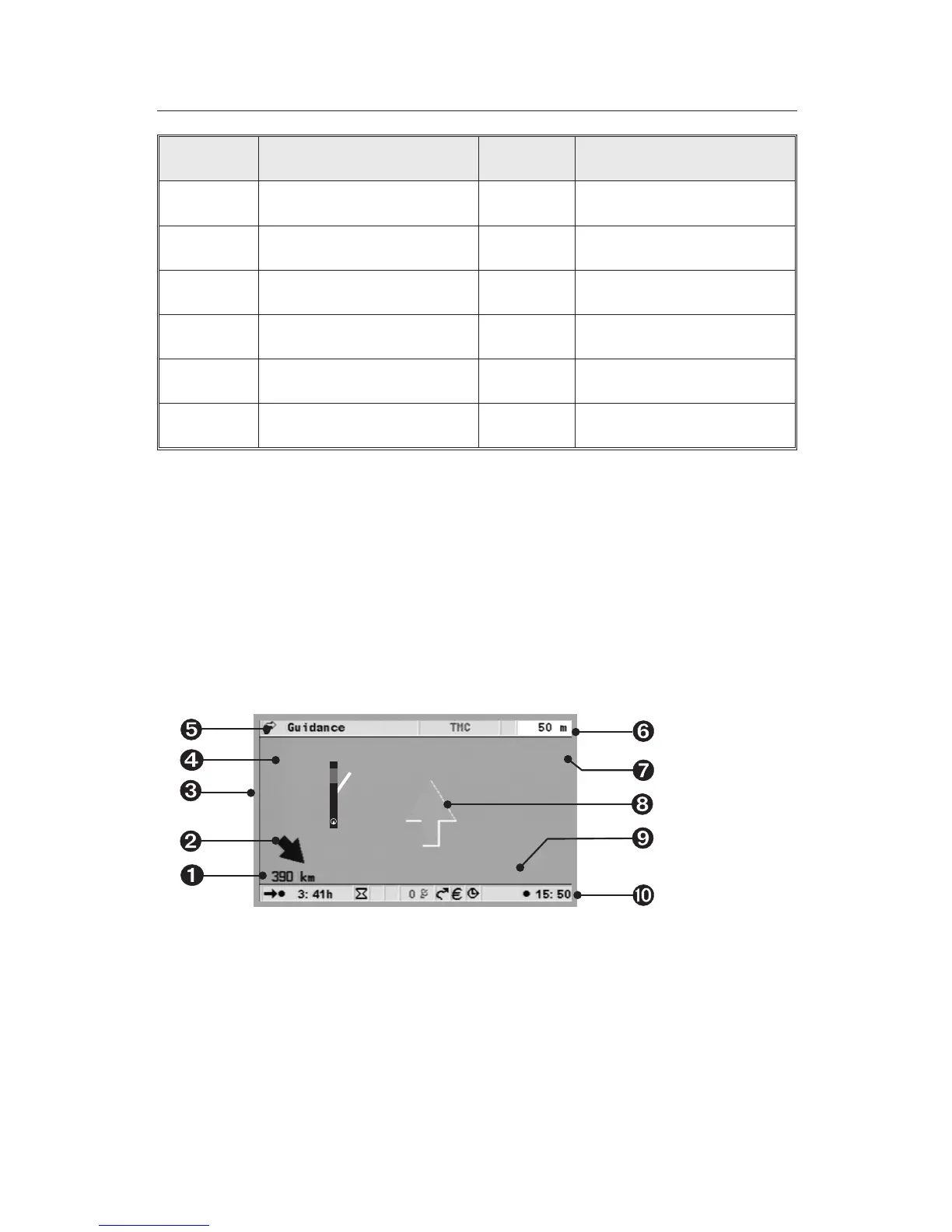
Symbol Meaning Symbol Meaning
u ATM T Petrol station
] Community centre U Theatre
g Court house y Entertainment
Y Golf course V Amusement park
h Hotel Z Destination
i Industrial estate
Screen displays
With guidance activated, switch between the various guidance screens by
pressing the MAP or Navigation button.
Guidance display
Once “Guidance” has been activated, the system will plan the route. This
may take several minutes. In the meantime, the first set of guidance
information will be displayed by means of the guidance display. This will
include the following information.

Distance to destination or to next via point.
·
Directional arrow pointing to the destination as the crow flies.
¸
Distance to a road obstruction from the vehicle’s position, possibly
including the length of the obstruction.
38
NAVIGATION
J
d
34 km
14 km
Gambacher Kreuz
A 45, Linden


 To Next Page