LVP300 LED HD Video Processor
Note:When the width and height of input image are lower than the LED screen real
width or height value. Part display is invalid.
4
)
Text overlay
LVP300 allows for overlapping text, logo or flash on the current image. The operation
is as below.
When the current input display properly, enter setup menu“3.Text overlay”,set ”3.1
text overlay” on
,
then select text source.Text can be produced by PowerPoint and other
office software.
5)Image freeze ( Freeze )
Press Freeze button and the indicator is on, the current image is frozen. Press
Freeze button again or switch to another signal to exit Freeze status.
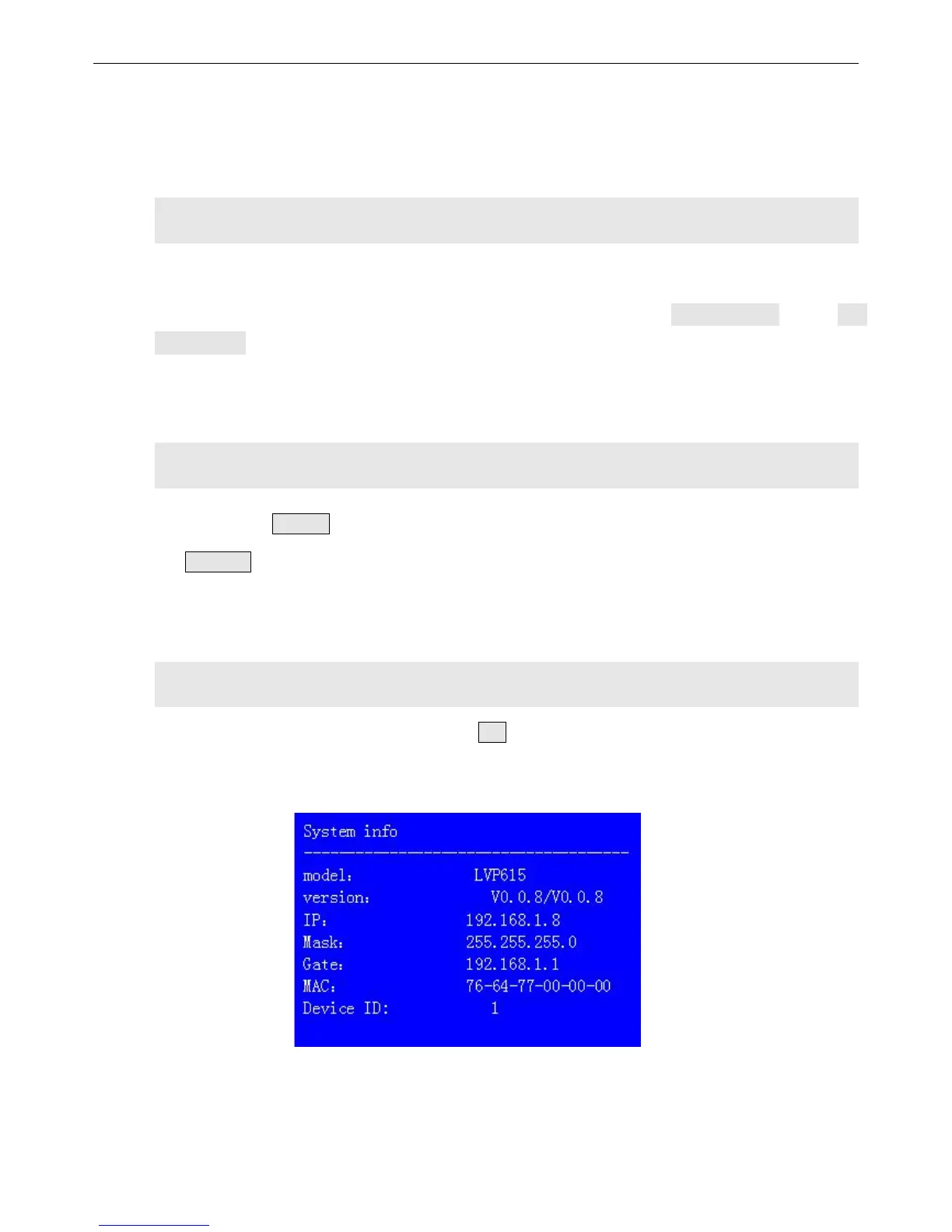
6)Device information view ( OK )
In signal switching status, press OK to check the LVP300 current setting and
information.


 To Next Page