2
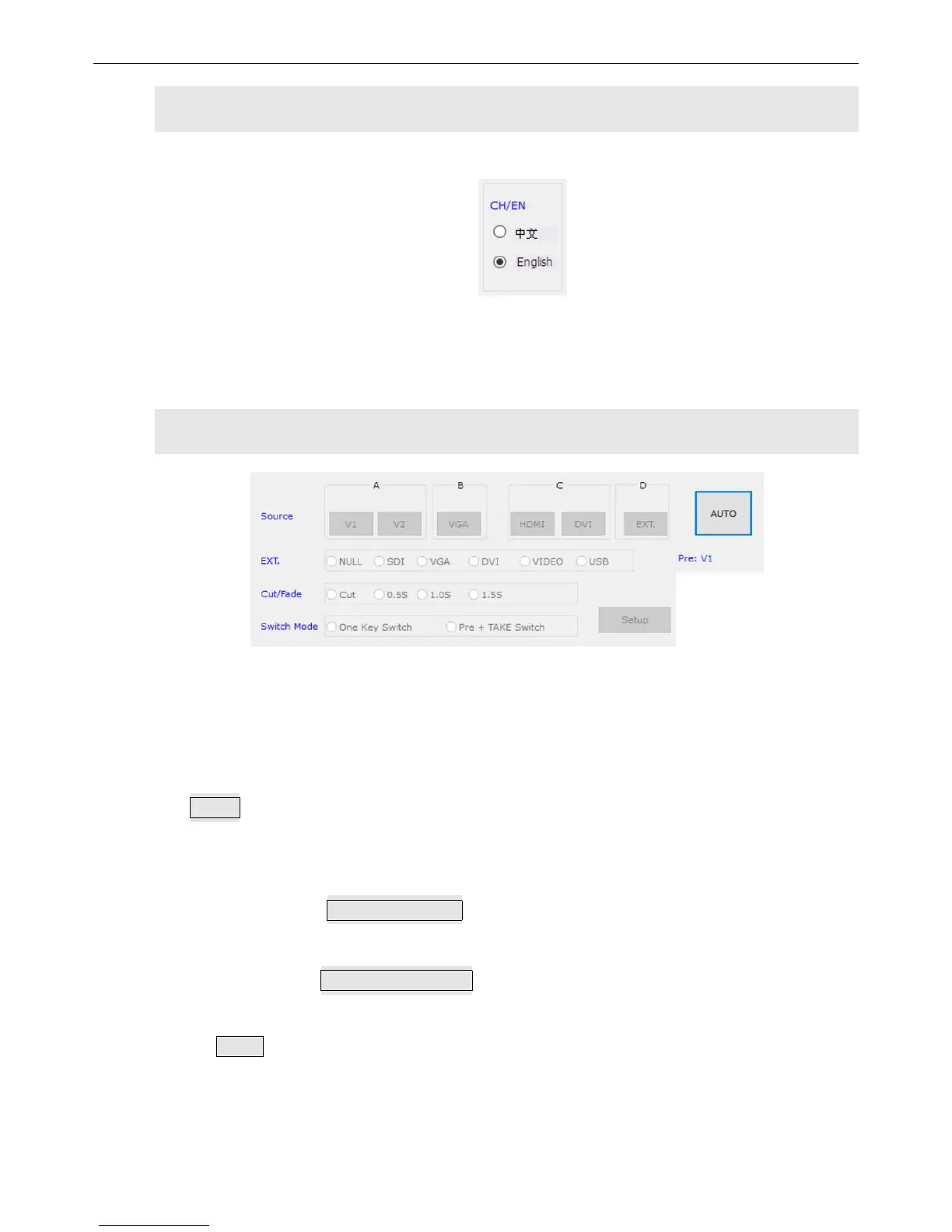
)Language Settings
LVP300 software supports 2 optional languages used on the main interface.
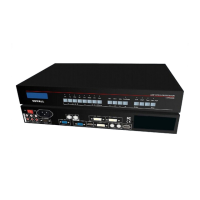
3)Signal Switching
The buttons in “Source” area is corresponding to those buttons and status indicator on the
front panel.
After connecting successfully, a blue dot nearby will light up to indicate that this signal
source is effective. If it flickers, it means this signal source is invalid.
AUTO:VGA auto adjustment button, this only works properly for VGA input.
Switching effect is optional, you can choose seamless switching with a duration of
0.5s ,1s or 1.5s, or Fade in/fade out switching.
Modes selection:
It defaults to One Key Switch,tap on this button, then the input signal would be
switched to another input signal.
If you select Pre+TAKE Switch ,that area will be changed into the appearance
showed below. the blue dot would mark and indicate the current signal and the
pre-selected signal. After this operation and the signal is stable, we just press
TAKE to switch signals.


 To Next Page