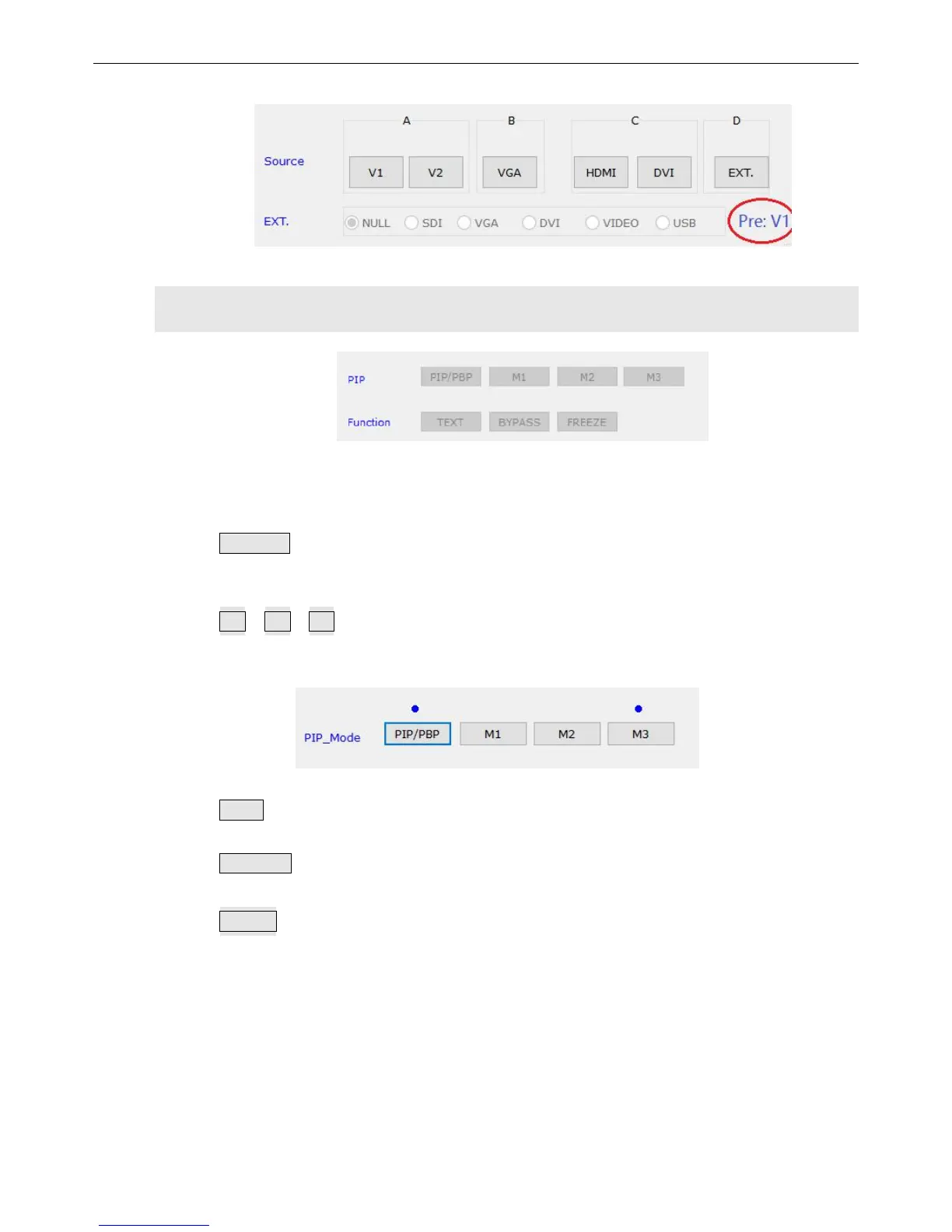
4)
Modes Selection
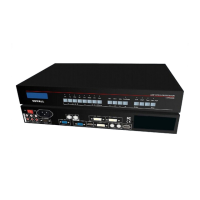
These buttons in this area are used to display under PIP status, text overlap,
bypass, freeze stream which is playing and mosaic.
PIP/PBP: This button is used to turn on or turn off function PIP/PBP, the blue dot
above will tell you whether it is on or off. After starting up, we can change signals for
PIP.
M1、M2、M3: This is a button calling dual images mode. A blue dot will show up
above when one mode is applied.
TEXT: A blue dot above this button will tell you whether this function is turned on or
off, the input signal for text is optional after it is open.
BYPASS: Fully to partially switching, this only works on VGA / DVI / HDMI / DP
signal.
Freeze:Freeze the image displayed, operate it while switching input signals.


 To Next Page