5
)Info Bar
If there occurs a failure, the info bar will show you the reason why it is failed.
6
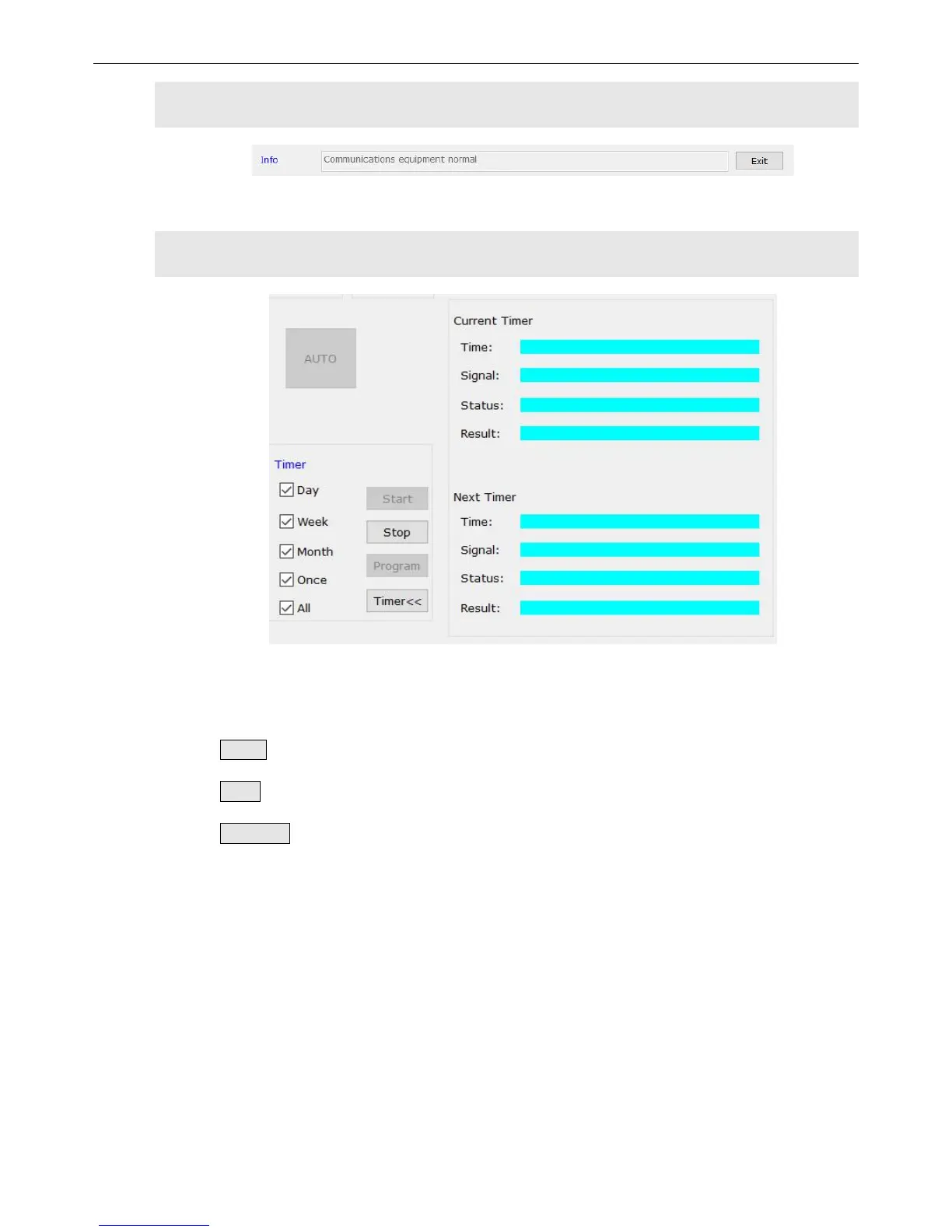
)Timing Control Settings
The timer in the software can switch input signals on time set before. And there are 4
modes you can choose including daily timing, weekly timing, monthly timing and freely timing.
Start : to start the function of timer.
Stop: to start the function of timer.
Timer<<: to expand or collapse the execution list.
Click “program” to open the interface of schedule timer settings, then you can
check, add, modify or delete timing schedule.


 To Next Page