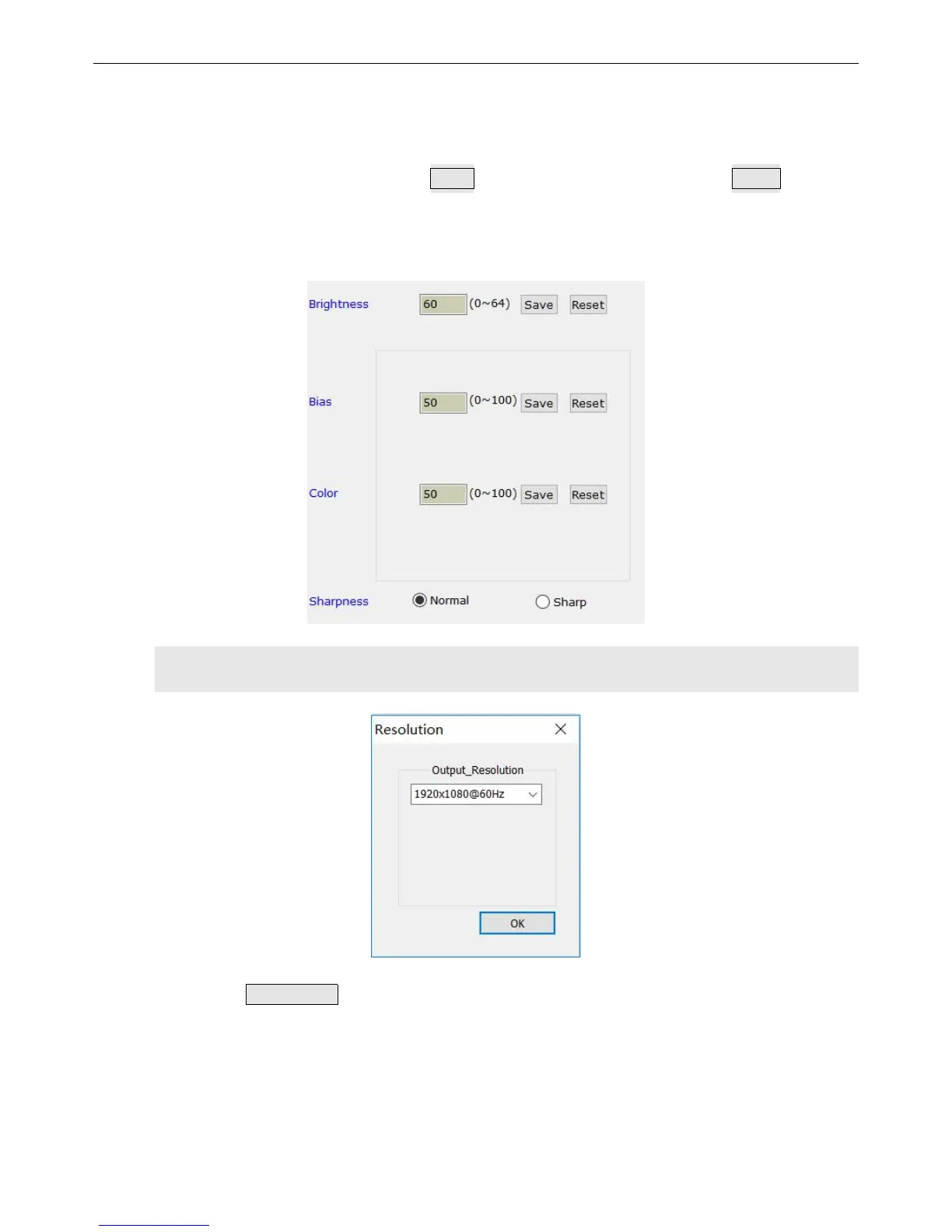
④ Picture controls for brightness, color, Low ash bias, Clarity,
These options are used to set values of brightness, color, Low ash bias and Clarity.
Input the parameters and tap on this button save to save it,or you can just tap on Reset to restore
default values. As for the clarify, you just click “smooth” or “clear”.
Remark: the default values of color and low ash bias are all 50.
9)output Resolution settings
Click Resolution on the main interface of LVP300 software and this popup will
appear above. Users can set this output resolution as you will.
Setting output resolutions : Tap on the drop-down box , select a proper output
resolution and this resolution would be applied automatically.


 To Next Page