② Dual Images Settings
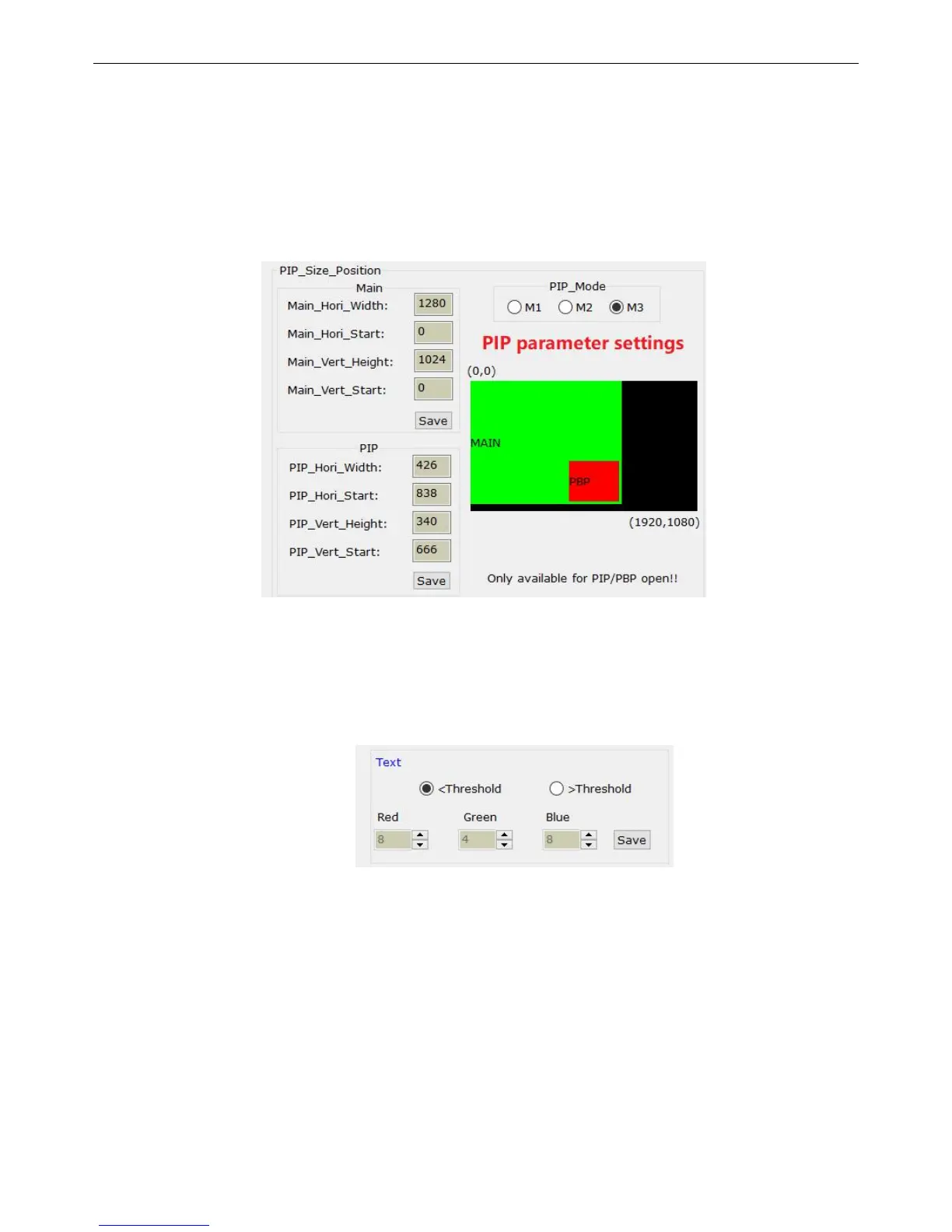
This interface below is used for settings for 3 PIP/PBP modes. We need to make sure
that the PIP function has already been turned on before setting. Firstly, we need to enter the PIP
mode you selected, then we input values of background’s size and PIP window’s size, save it after
it is done.
③ Text Overlap
This is used for the processor to set proper threshold value for the input signal, save it
to the processor and then it works.


 To Next Page