51
50
Advanced Jog Mode
Appendix H
When the On-Line (yellow) light is not lit, the VXM is in the Local/Jog mode. Using the
front panel jog buttons, each motor can be jogged a single step or slewed to a default
speed of 2000 sps (5 revs/sec.) in either direction.
“setj”
“setJ” that can be selected by activating input 2
When a Jog button is pressed the motor moves 1 step (1/400 rev.) If the button is held for
>0.3 second the motor will accelerate to a default speed of 2000 sps.
Pressing/holding the Stop button while using the Jog buttons will hold the speed at 39 sps.
The default speed of 2000 mentioned above is settable by command.
Additionally there is a second jog speed
setjmMx Set primary maximum jog speed. x= 1 to 6000 sps (default=2000)
1000 when VXM and joystick ordered the same
time
setjmM0 Disable jog input for motor m. This command will deactivate the jog
buttons for motor m and the corresponding auxiliary I/O jog inputs.
setJmMx Set secondary maximum jog speed. When input 2 is low (I/O,6) this
speed will be the applied maximum jog speed. x= 40 to 6000 sps
(default=2000)
getjmM Get the primary maximum jog speed. The value returned will be a
number between 0 and 6000 (default=2000)
getJmM Get the secondary maximum jog speed. The value returned will be a
number between 40 and 6000 (default=2000)
m= motor# (1,2,3,4)
NOTE: Factory set to
m= motor# (1,2,3,4)
m= motor# (1,2,3,4)
m= motor# (1,2,3,4)
m= motor# (1,2,3,4)
Mtr 1
Mtr 2
setj
setJ
Primary/Secondary Speeds
( Input 2 )
Straight through cable
pins 9 and 15 not required
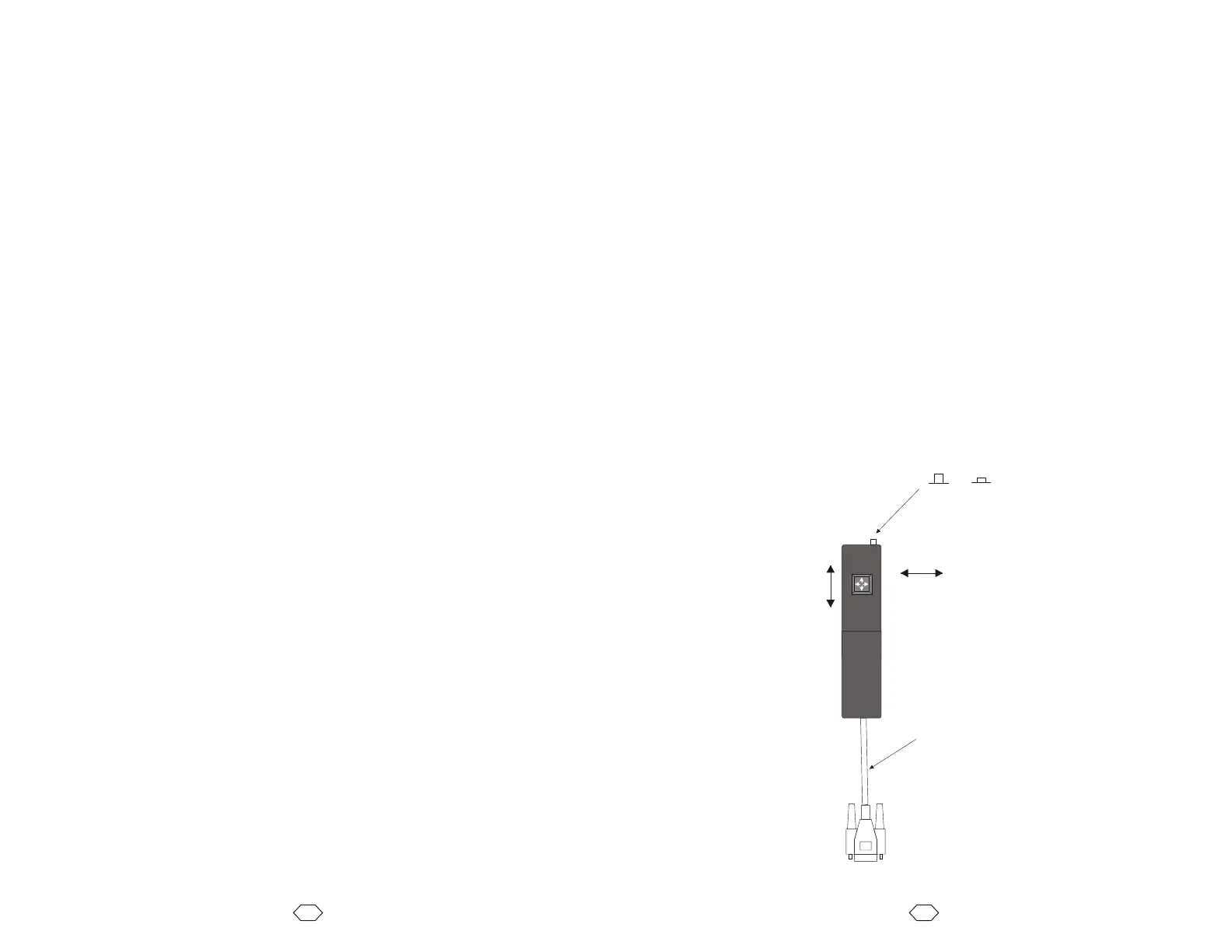
Optional Digital Joystick
The optional digital joystick allows remote jog control of a one or two axis VXM controller.
The joystick provides four momentary outputs that are connected to the Jog Motor inputs
on the Auxiliary I/O.
The function is identical to the front panel jog buttons.
The joystick without the enclosure is available for OEM applications.
Enclosure Dimensions: 1.45" x 5.75" x 0.85" (Width x Depth x Height)
Overall height: 1.6" (bottom of enclosure to top of joystick lever)
The digital joystick has a button switch connected to Input 2 for toggling between the
primary and secondary settable jog speeds.
NOTE: The default primary and secondary speeds are by default both set to 2000.
NOTE: It is possible to disable/remove the button switch if Input 2 is needed for a function
other than jog speed selection. To disable/remove the button, with the button in the out
position, use pliers to pull the button cap off the switch actuator. The switch actuator
should now be below the surface enough to prevent unintended input. An alternate
method to disable the button switch is by clipping off pin 6 on the cables connector.
To VXM Auxiliary I/O
+
+



 To Next Page