Controller Mode
Appendix O
71
70
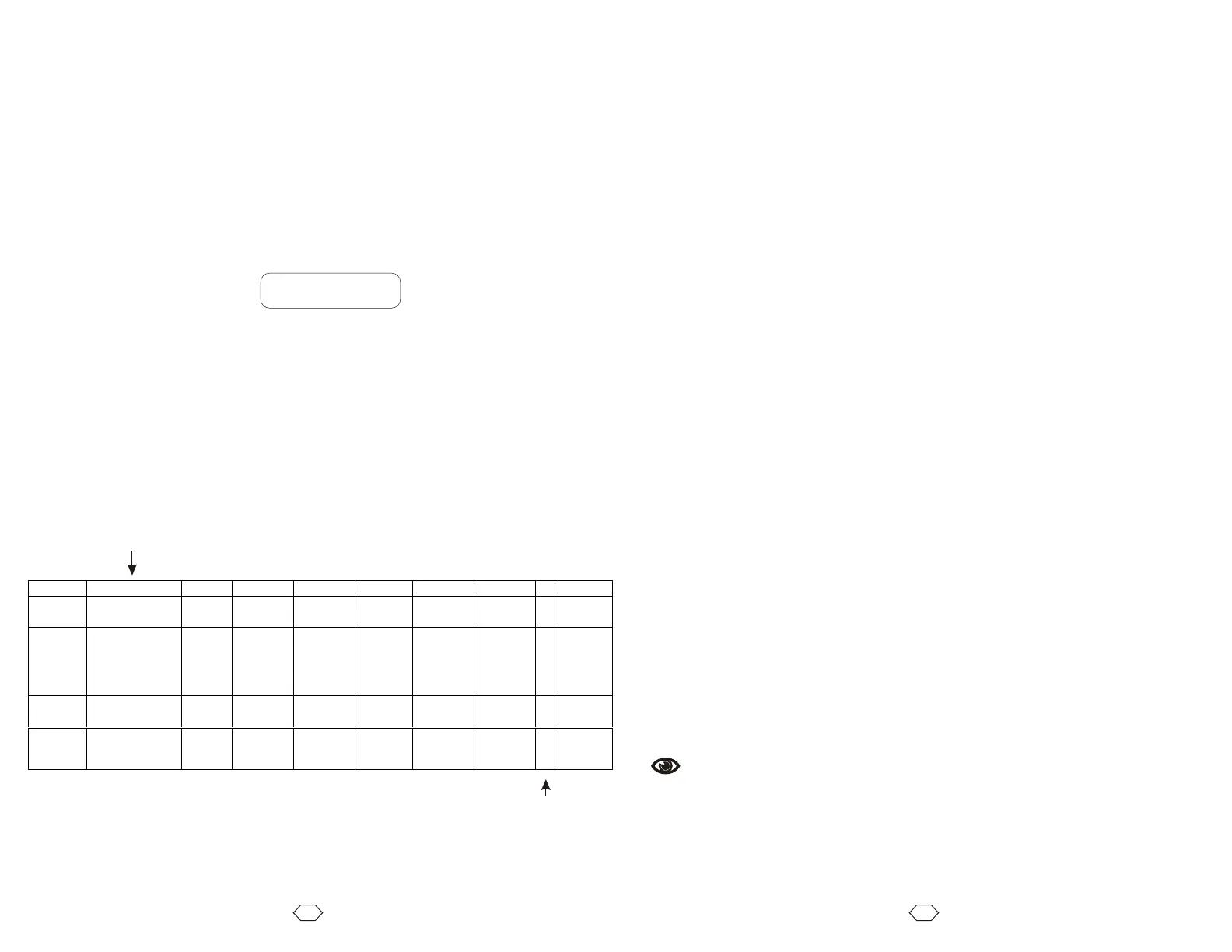
The VXM has a main mode register that can be set with the “setDMx” command.
Bit
7 6 5 4 3 2 1 0
Decimal
Value
128 64 32 16 8 4 2 1 Decimal
Value
Insert/Combine
Program #4 on
1
st
Run
Set
This
VXM
as
Master
Invert
Motor 4
Direction
Invert
Motor 3
Direction
Emulate
NF90
Invert
Motor 2
Direction
Invert
Motor 1
Direction
1 x
Default 0 0 0 0 0 0 0 1 1
Emulate
older
NF90
0 0 0 0 1 0 0 1 9
setDM set operating mode of VXM. The value for is a number between 0
and 255 that can be derived from the table below.
Example:
This example would invert the direction of motor 1 from the standard.
getDM Get operating mode of VXM. The value returned is a number between
0 and 255 (see table below.) default=1
x x
setDM3, setDM3,
Always 1
Use this feature for homing VXM
every power-up in stand-alone
applications.
Put home routine in program #4.
First run after power up will run
program # 4 first.
The VXM can be set back to factory defaults with the “setD0” command. This command
will erase all programs, modes, and motor settings.
setD0 Set VXM back to factory defaults
CAUTION: All programs, settings, motor selections will be erased
NOTE: The VXM will send “ËN” to the host indicating memory has been erased
There is three special commands that get additional status from the VXM
getD0 Gets the VXM’s firmware version in the format X.XX
getD1 Gets the VXM’s firmware date code in the format XX-XX-XX (month,day,year)
getD2 Returns 2 if system is a single VXM, returns 4 if VXM is a Master with a
detected Slave.
G Enable On-Line mode with echo off, Grouping a <cr> (carriage return) with the
"^", ":", "W", "O" character responses.
This command has the functionality of the "F" command except a <cr> will be
appended to: The "^" (Ready prompt) after finishing a program; the "R"
response to a "V" command; an "O" response to Limit Switch Over-travel; the
":" response to a "H" command; and the "W" when a "U6" command is executed.
This command would be beneficial when the VXM is used with a Serial to
IEEE488 converter. The terminator on the Converter should be set to "CR".
NOTE: A <cr> will not be added to the "B", “b” or "J" response to a "V"
command.
See Also
E, F



 To Next Page