22
Retrieve Data from Memory
Stored data can be viewed on the display, printed through the serial port to a printer, or sent through
the serial port to an external computer. The memory position where data is stored starts at zero and
fills to position 262144. If there is old data stored in memory, for example from a previous field
study, the new data will start at the first available memory position. To reset the memory position
to zero, the memory must be erased (see Erase Data section). It is recommended that the memory
be erased before each field study, or after the data has been down loaded to a computer and
analyzed.
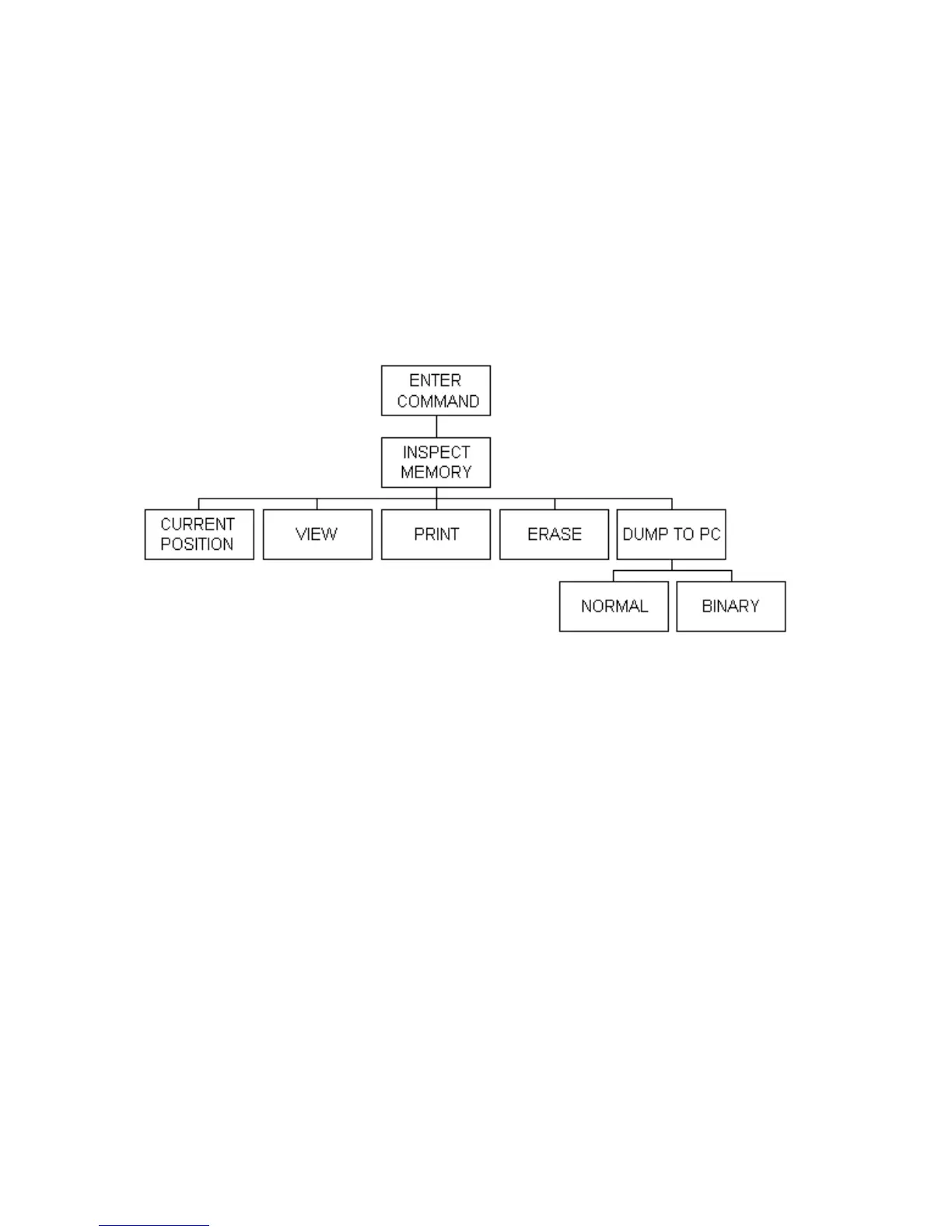
The retrieve data routine has the structure as shown below:
To download data to an IBM compatible computer, use the Load VR60 Data command in the
appropriate software. It is possible to download data to a computer using the DUMP command on
the VR60 receiver. Do not use the PRINT command to download data to a computer. The DUMP
command is faster and the data is formatted in such a way as to minimize disk storage space.
To enter the INSPECT MEMORY routine from the ENTER COMMAND prompt, press the + key,
then the LOG key, and finally the SETUP key. The display will then show the following prompt:
View(1) Print(2)
Erase(3) Dump(4)
Press either 1, 2, 3 or 4 to choose one of the four functions, or press NEXT to show the current
memory position. To exit back to the ENTER COMMAND level, press ENTER.



 To Next Page