English
- 5 -
User manual memo DW E
C1 C2
R
Ok
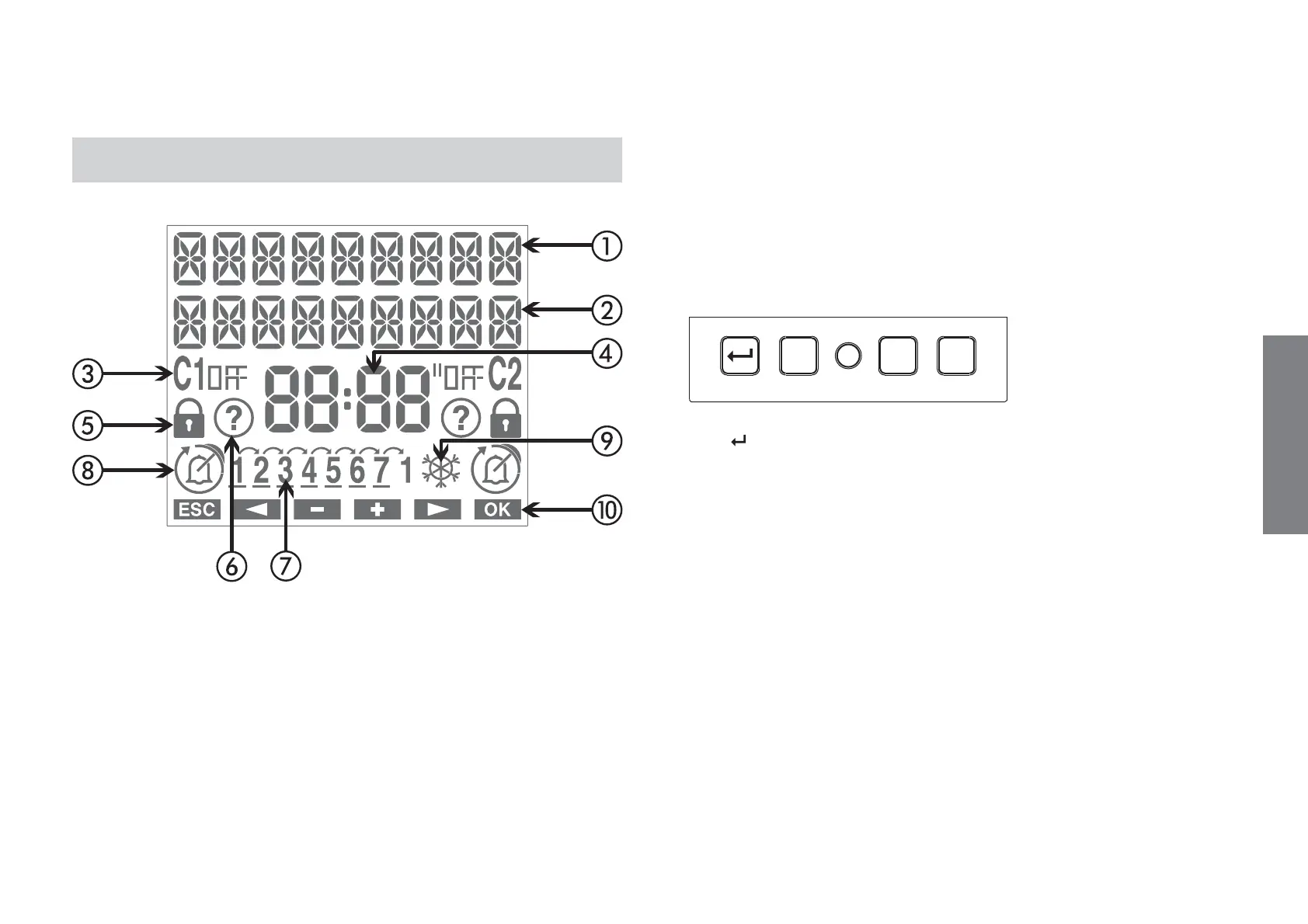
DISPLAY AND KEYPAD DESCRIPTION
a Field “text1 / day”
b Field “text 2 / date”
c Field “status relay”
d Field “time”
e Field “lock” (lock relay switchings)
f Field “random programme”
g Field “day of the week”
h Field “programme running”
i Field “CET/DST”
j Field “key functions”
Key “
”: activation menu/esc/check battery
Key “Ok”: confirm datum
Key “C1”: decrease datum/previous menu/ switching channel/lock
channel
Key “C2”: increase datum/next menu
Key “R”: reset settings
Key “Ok” + “C1” (3 sec): random on/off channel


 To Next Page