14 | 3578 • CB500 VENDOR
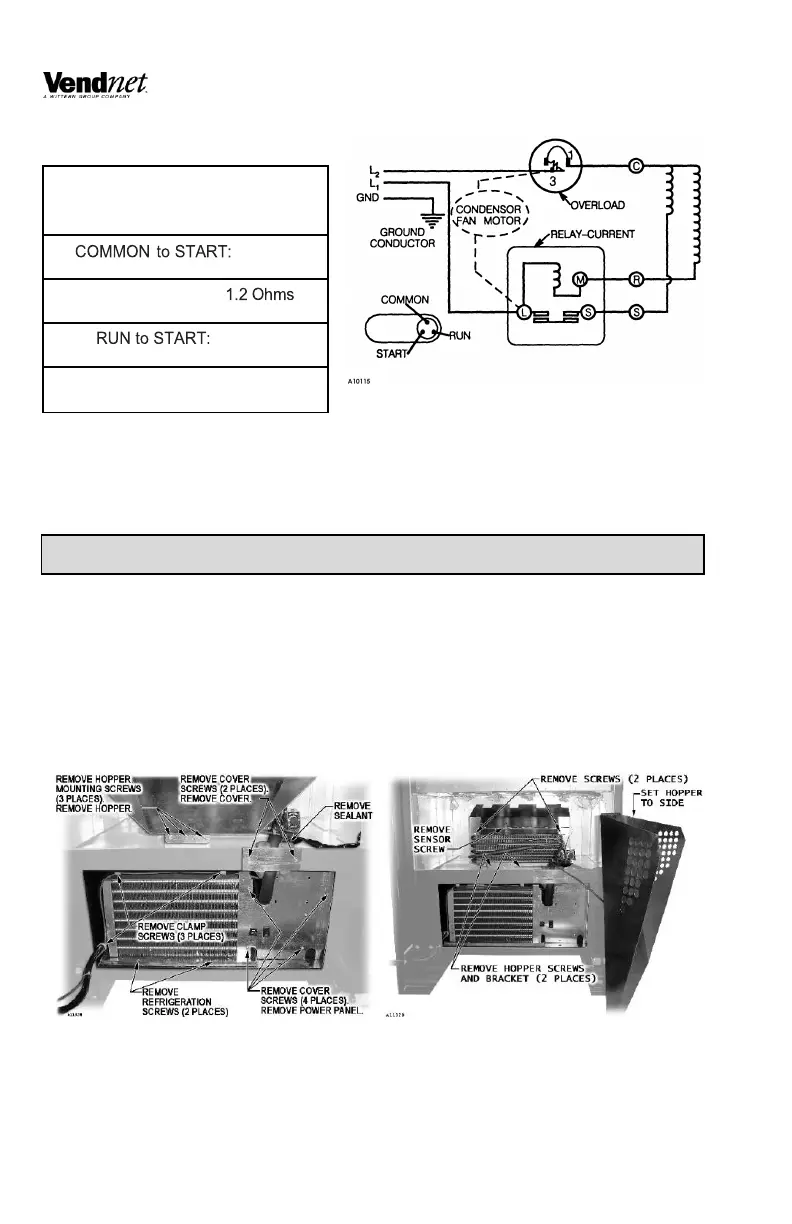
WINDING RESISTANCE
REFRIGERATION UNIT REMOVAL
The refrigeration unit is a hermetically sealed and completely self-contained
modular unit charged with R-134a/R513a refrigerant. The complete refrigeration
unit can be removed if there is a service problem.
1. Unplug the CB500-SA power cord from the electrical wall outlet.
2. Remove condenser assembly mounting screws. Refer to Figure 13.
A. Remove bottom condenser assembly screws.
B. Remove power panel screws (4 places). Remove power panel.
C. Remove sealant cover screws (2 places). Remove sealant cover.
Remove sealant.
D. Remove hopper mounting screws (3 places).


 To Next Page