Ventis™ MX4 Product Manual
© 2014Industrial Scientific Corporation
8
►Monitor Overview
HARDWARE FEATURES AND FUNCTIONS
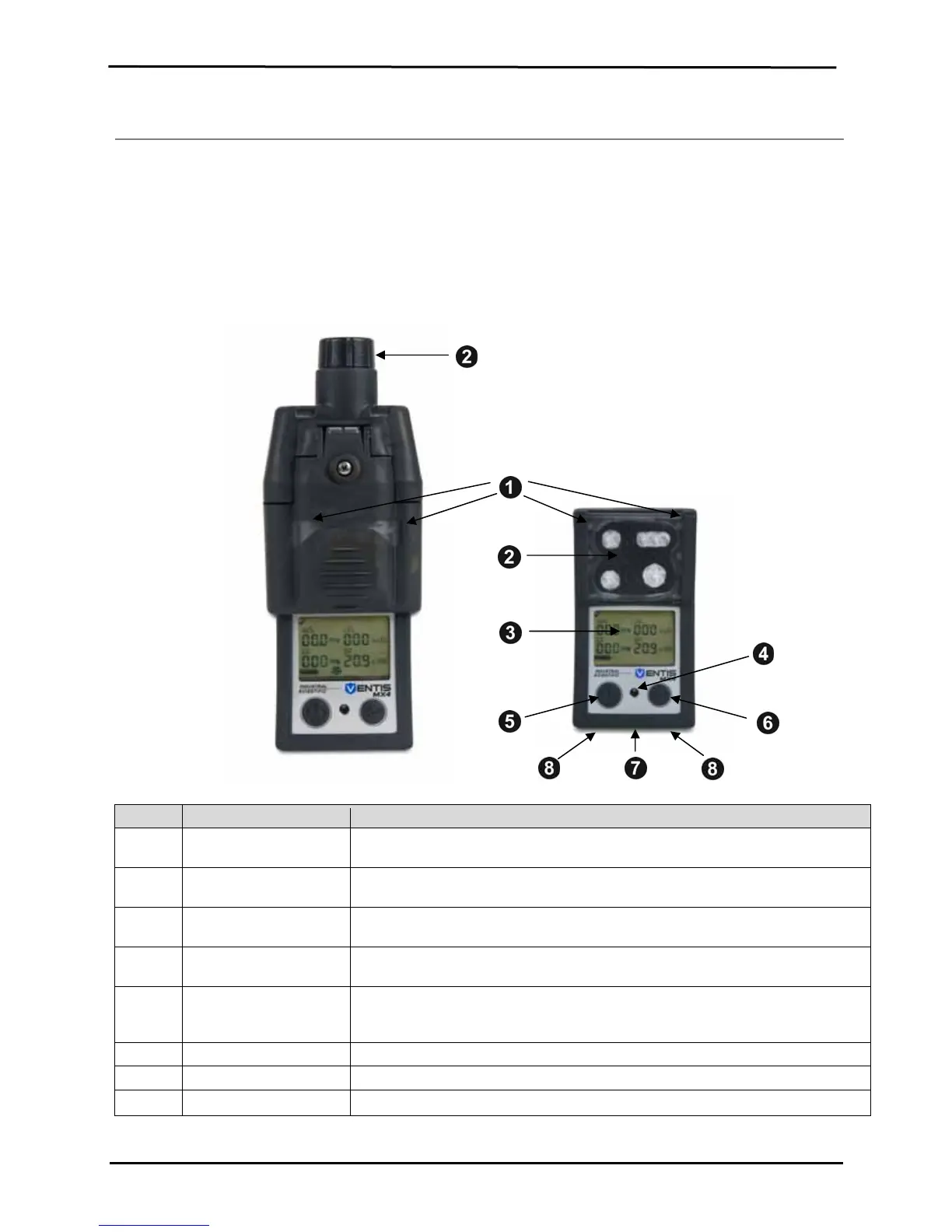
The monitor’s case top (front of monitor) has two main sections. As shown below, the upper section contains the
sensor ports. The lower section houses the user interface features, a LCD display screen and two buttons. Each
feature’s general functions are noted below. As shown, the diffusion and aspirated monitors differ with respect to the
location of the air intake mechanism and visual alarm indicators.
The instrument may be used in any orientation when clipped to the user or when used with a compatible carrying
case. Normal instrument orientation for measuring gas concentration is hand held with sensors and display facing the
operator.
Numbe
Feature Functions
1 Visual alarm indicator Signals an alarm or warning; frequency varies by alarm level. Also used as a
confidence indicator.
2 Pump inlet (aspirated)
Sensor ports (diffusion)
Air intake; calibration and bump test gas intake.
3 LCD display User interface; backlight flashes when monitor is in system, high, or low alarm
states.
4 Audible alarm ports On when monitor is in system, high, or low alarm states; frequency and tone vary
by alarm level. Also used for warnings and as confidence indicator.
5 On/Off/Mode button
Used to power-on and power-off. Also used to bypass a process/step or advance
to a next screen in both gas monitoring and configuration modes. Sets values in
configuration mode.
6 Enter button Used to begin a process/step in a process. Edits values in configuration mode.
7 IrDA interface Indicates infrared light data exchange in-progress.
8 Charging contacts Battery charging.


 To Next Page