Ventis™ MX4 Product Manual
17 © 2014 Industrial Scientific Corporation
The configuration mode can be entered during the 20-second countdown of the power-on process. During the
countdown, simultaneously press ON/OFF/MODE and ENTER, hold for three seconds, and release to enter
configuration mode. (While in the configuration mode, the same button presses cause the monitor to exit
configuration). Each configuration screen times out after 30 seconds and the monitor enters gas monitoring mode. To
re-enter the configuration mode, power-off the monitor, then power-on and repeat the entry process.
Throughout the configuration process, the main functions of the two buttons are as follows.
The ENTER button is used to edit values. It is also used, where noted, to begin a process or a step in a
process.
The ON/OFF/MODE button is used to set the value. Where noted, it is also used to bypass a process or
step in a process, or to advance to the next configuration screen.
The first screen to display in configuration mode depends on three things:
security code setting,
the presence or absence of the China MA feature,
and the presence or absence of an LEL sensor.
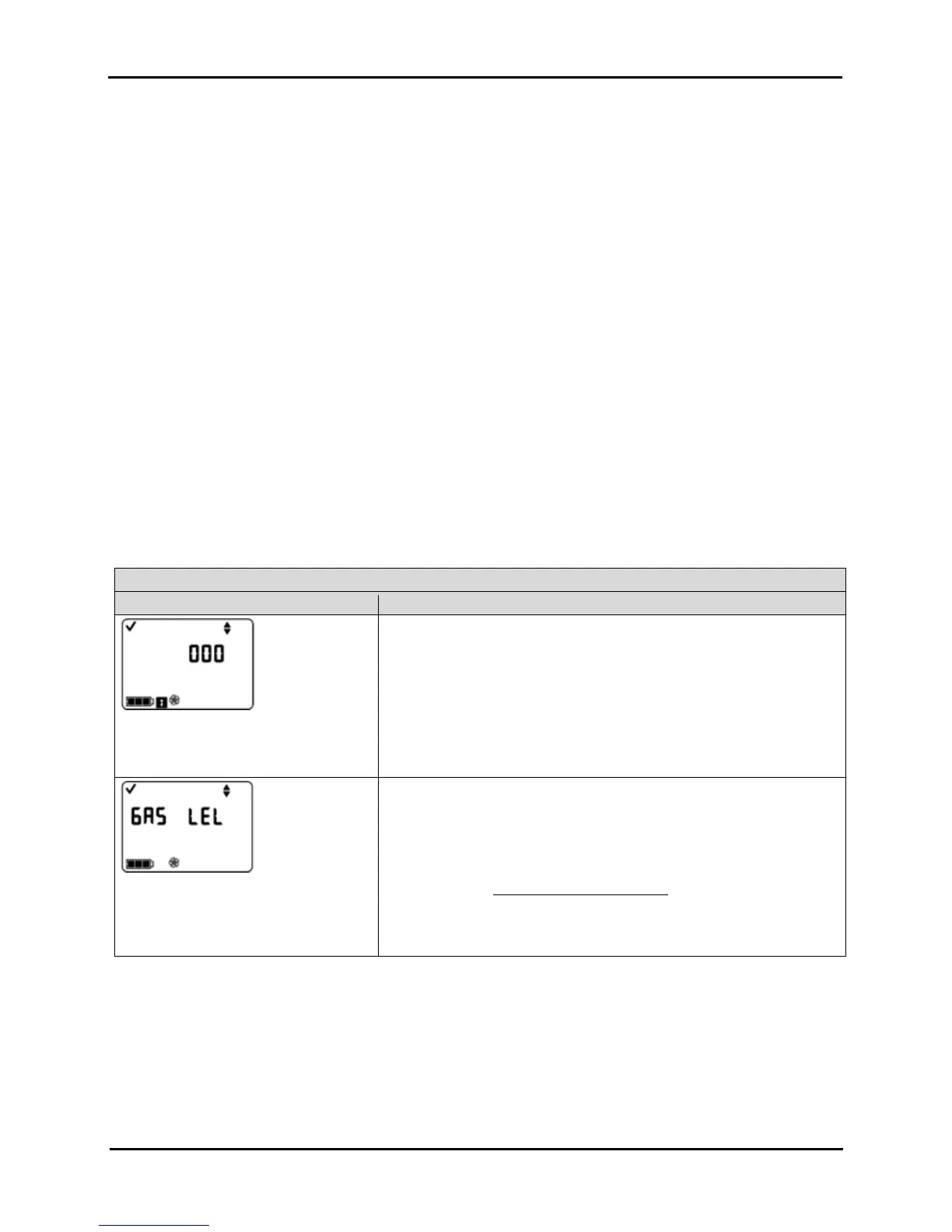
If the security code setting is 000, the security feature is disabled and the Enter Security Code Screen does NOT
appear. If the security code is NOT 000, the security feature is enabled and the monitor displays the Enter
Security Code Screen.
The monitor next checks for the presence of a China MA mining feature. If this feature is operational, the monitor
displays the Zero Initiate Screen.
If the China MA mining feature is NOT operational, the monitor then checks for an installed LEL sensor. If
installed, the monitor displays the LEL Type Screen. If no LEL sensor is installed, the monitor displays the Zero
Initiate Screen.
Configuration Process
Display and Options Instructions
Enter Security Code Screen
The presence of this screen indicates an
enabled security feature.
Press ENTER to edit the value, if needed; press repeatedly or hold down
to speed the increment pace to reach the valid security code.
Press ON/OFF/MODE to enter configuration mode and arrive at the
next applicable screen.
LEL Type Set Screen
Options
LEL
CH
4
Press ENTER to edit the value, if needed.
Press ON/OFF/MODE to set the value and advance to the Zero Initiate
Screen.
NOTE: If the LEL type is changed, the sensor goes into calibration fail mode. A full calibration
is required before the monitor can be used and is accessible from the next screen in the
configuration process, the Zero Initiate Screen. For complete calibration instructions, proceed
to the manual section, Zero, Calibration, and Bump Testing.


 To Next Page