30 | Page30 | Page
12.7 Foot /Hand Switch Control
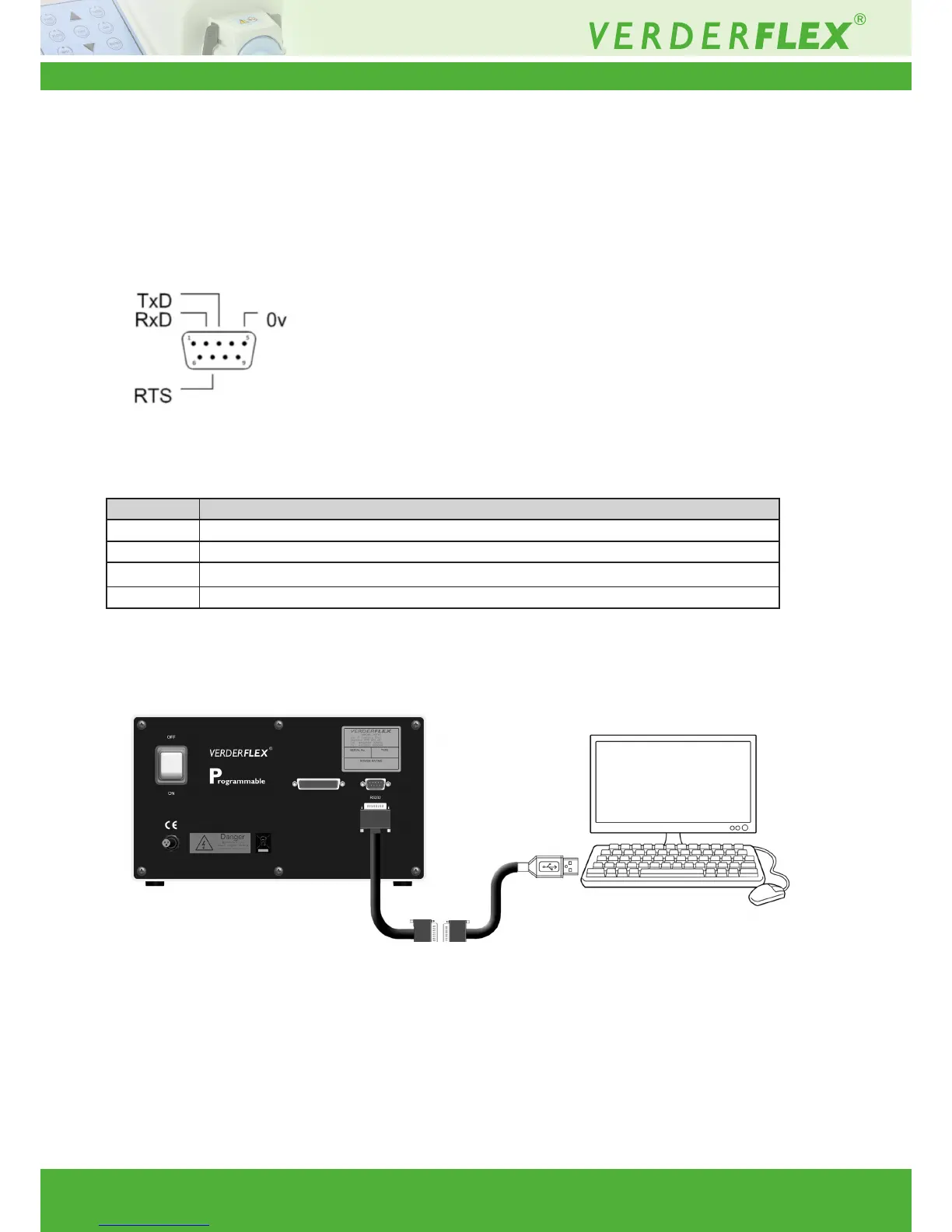
Verderex Vantage 3000 pump model “P” has an RS232 computer interface for communication with process controllers and Verder-
ex PC windows user software. The pump can be connected to a PC/Laptop using a Null Modem serial cable and/or a USB/RS232
convertor. The USB/RS232 convertor is required only if your PC/Laptop is not provided with an RS232 port.
Compatible connecting cables required to operate the pump via RS232 can be supplied by Verderex, upon request.
12.7.1 Connector Layout
Figure 9 25 Way ‘D’ Type Connector
12.7.2 Connector Description
Figure 10 Connecting the Footswitch
PIN FUNCTION
2 TRANSMIT DATA (TxD)
3 RECEIVE DATA (RxD)
5 0 VOLTS
7 REQUEST TO SEND (RTS)
PC / Laptop
Null Modem serial cable RS 232 adaptor
(Optional)
Vantage 3000
Table 15 Digital Connector Pins



 To Next Page