31 | Page31 | Page
12.7.3 USB Driver Installation and
Conguration
The USB/RS232 device drivers should be installed as
per the manufacturer’s guidelines prior to installing PCpump.
exe. The pump should not be connected to your computer
prior to installing the device drivers.
1. Connect the RS 232 adaptor to your USB port
2. Download and install driver software for the adaptor
3. Do not connect the RS232 cable to the RS232
adaptor until the following steps are completed
4. Copy the RS232 Software folder to your
computer from disc
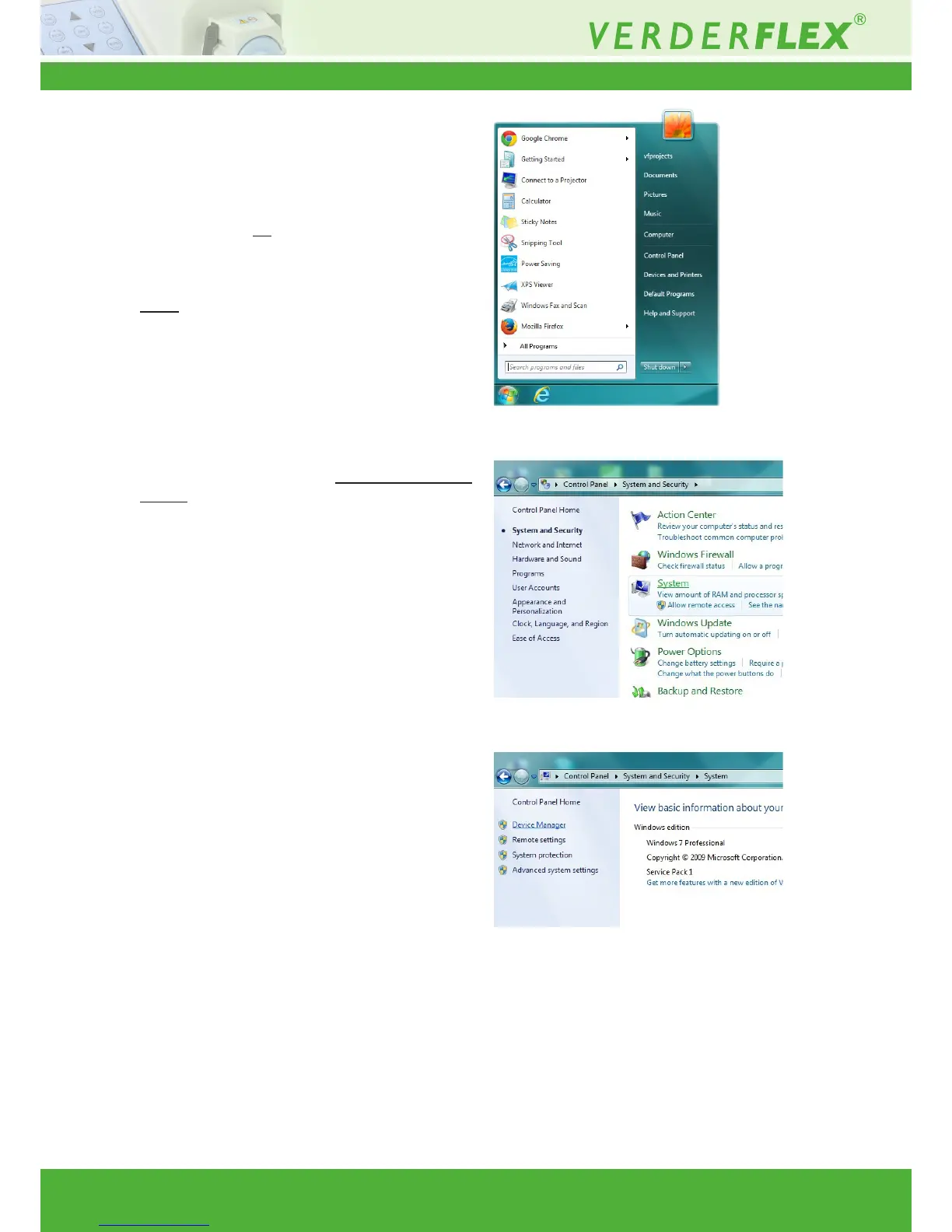
5. From your WindowsTM “Control panel” open
“Device Manager” and scroll down to “Ports
(COM & LPT)”. If the drivers have installed successfully,
you will see “USB Serial Port (COM xx)” (refer g.12).
Where xx = the com port number that the computer
has assigned to the device. Make a note of this
number. Click open “USB serial port” to access the
properties dialogue. Click on the “Port settings” tab.
Ensure that:-
a) bits per second =9600
b) Data Bits = 8
c) Parity = None
d) Stop bits =1
e) Flow control = None.
6. The folder on the disc supplied has a folder called
“Vantage 3000 software” which contains 4 les:-
a) PCpumpreadme.docx (Instruction le)
b) PCpump.exe(Application)
c) PCpump.ini (Conguration setting)
d) PC pump Serial interface.doc (Communication
Protocol)
7. Copy PCpump.exe to a directory of your choice.
8. Copy PCpump.ini to C:\WINDOWS. (This le must
reside in the Windows root directory)
9. Click on the le PCpump.ini in your Windows root
directory and edit the line “Port=xx” where xx = the
port number you recorded earlier. E.g. Port=04.
Save the edited le.
Figure 11 Opening the Control Panel
Figure 12 Opening “System Settings”
Figure 13 Opening “Device Manager”



 To Next Page