32 | Page32 | Page
10. If you are using an RS232 port on your computer
to communicate with the pump you must also copy
PCPUMP.ini to your windows root directory. In this case,
the line Port=xx in PCPUMP.ini is not important or
necessary.
11. With the USB/RS232 converter plugged into your
computer run PCpump.exe. The program window
should now appear. If the window appears repeatedly
on screen, then the USB/RS232 converter has not
installed correctly.
12. Connect a Null Modem serial cable between the
USB/RS232 converter and the pump’s RS232 DB9
socket. (it must be a Null modem cable not a standard
“pin to pin” serial comm’s cable)
13. The pump can now be controlled by your PC. Consult
the Vantage 3000 Operation Manual for details on
how to use this software utility.
PC pump Serial interface.doc contains information
for the control of the pump using ASCII code
character strings. (Communications protocol)
Dated 01/09/2013
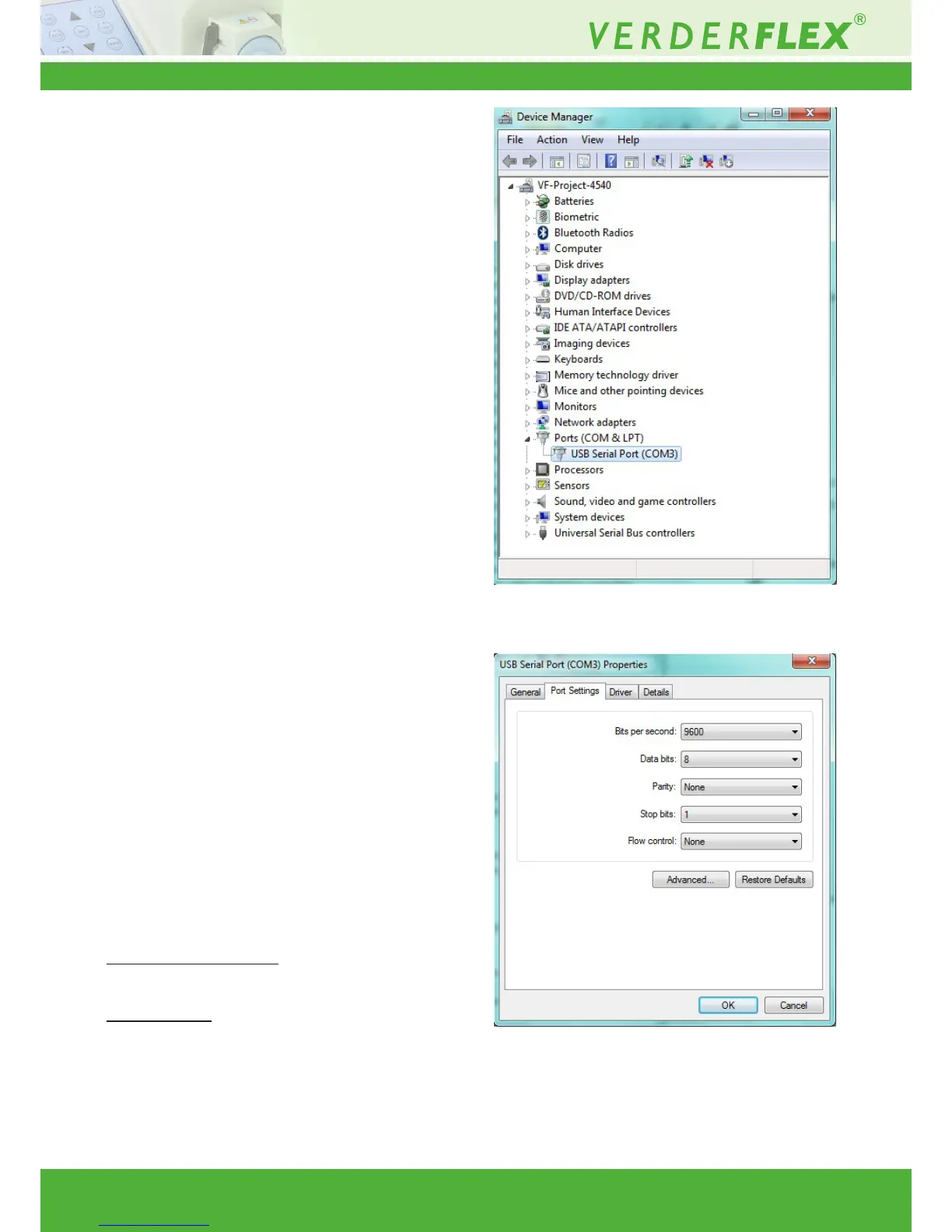
Figure 14 Opening “ Port Settings”
Figure 15 Opening “USB Serial Port Settings”



 To Next Page