Description
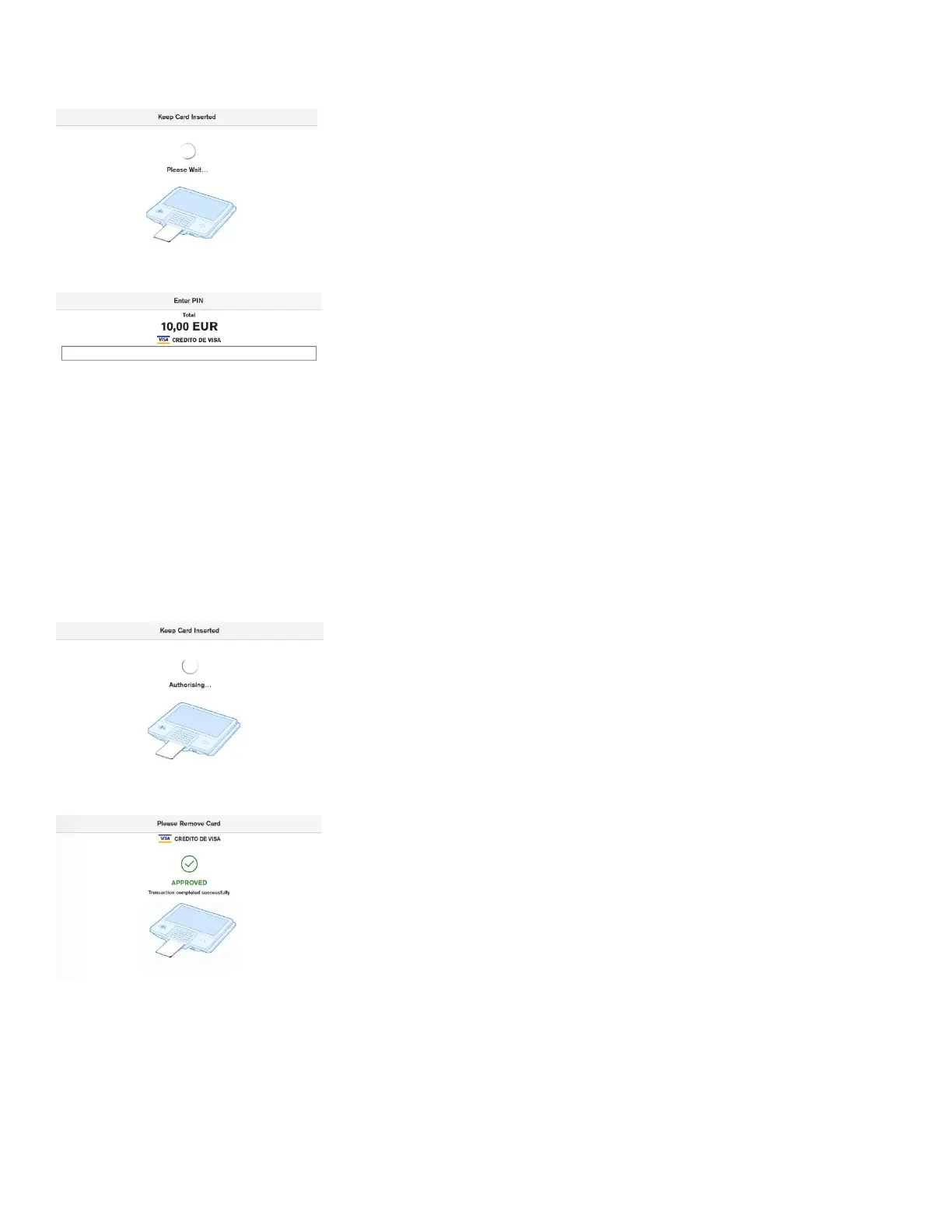
After the card is inserted, tapped or swiped, the terminal indicates that it
is processing card data, by showing “Please Wait…” screen.
User Action
The user is not required to do any action at this stage.
Description
If the CVM for the card is PIN, then the PIN will be prompted after the
“Please Wait…” screen.
If the customer has entered an incorrect offline PIN and the green
button has been pressed, the terminal will display a warning message
that an incorrect PIN has been entered.
This dialogue will be displayed only for cards that use a PIN as the
cardholder verification method, otherwise the terminal will skip this
screen and move to authorisation of the card.
User Action
The user must enter the PIN and select the green button.
The user can reset the PIN entry by pressing the yellow button.
Description
After the card data has been read, the device will display the message
“Authorising…”. This indicates that the device is performing online
authorisation by communicating with the acquirer’s host system.
User Action
The user is not required to do any action at this stage.
Description
When card data has been authorised, the terminal will show an
“Approved” screen. This informs the customer that the payment has
completed successfully. The customer is prompted to remove the card, if
it’s still inserted. The terminal will play a notification sound until the card
is removed.
User Action
The customer must remove the card.













 To Next Page