Ethernet and WebUI Connection
LD8 Operations Manual AB-V-MA-00635_RevA2 14
3 ETHERNET AND WEBUI CONNECTION
The LD8 supports Ethernet (10Base-T/100Base-TX) for configuration and interfacing to other vessel systems.
The Ethernet port supports IPv4 Internet layer and TCP/IP transport.
3.1 ETHERNET
A PC or laptop with an Ethernet port and an up-to-date version of Chrome, Firefox or Internet Explorer is
required to configure the LD8 for operation. Internet Explorer comes pre-loaded onto VERIPOS PCs when
issued with the unit.
The LD8 is shipped with a factory default IP address of 192.168.2.8. The connecting PC or laptop should be
configured to use the same IP subnet.
If the LD8 needs to be configured to join an existing TCP/IP network, the commands to assist configuration can
be found in section Ethernet Configuration.
3.2 WEBUI CONNECTION
Once network connectivity has been established to the LD8, open a browser and enter the default LD8 IP
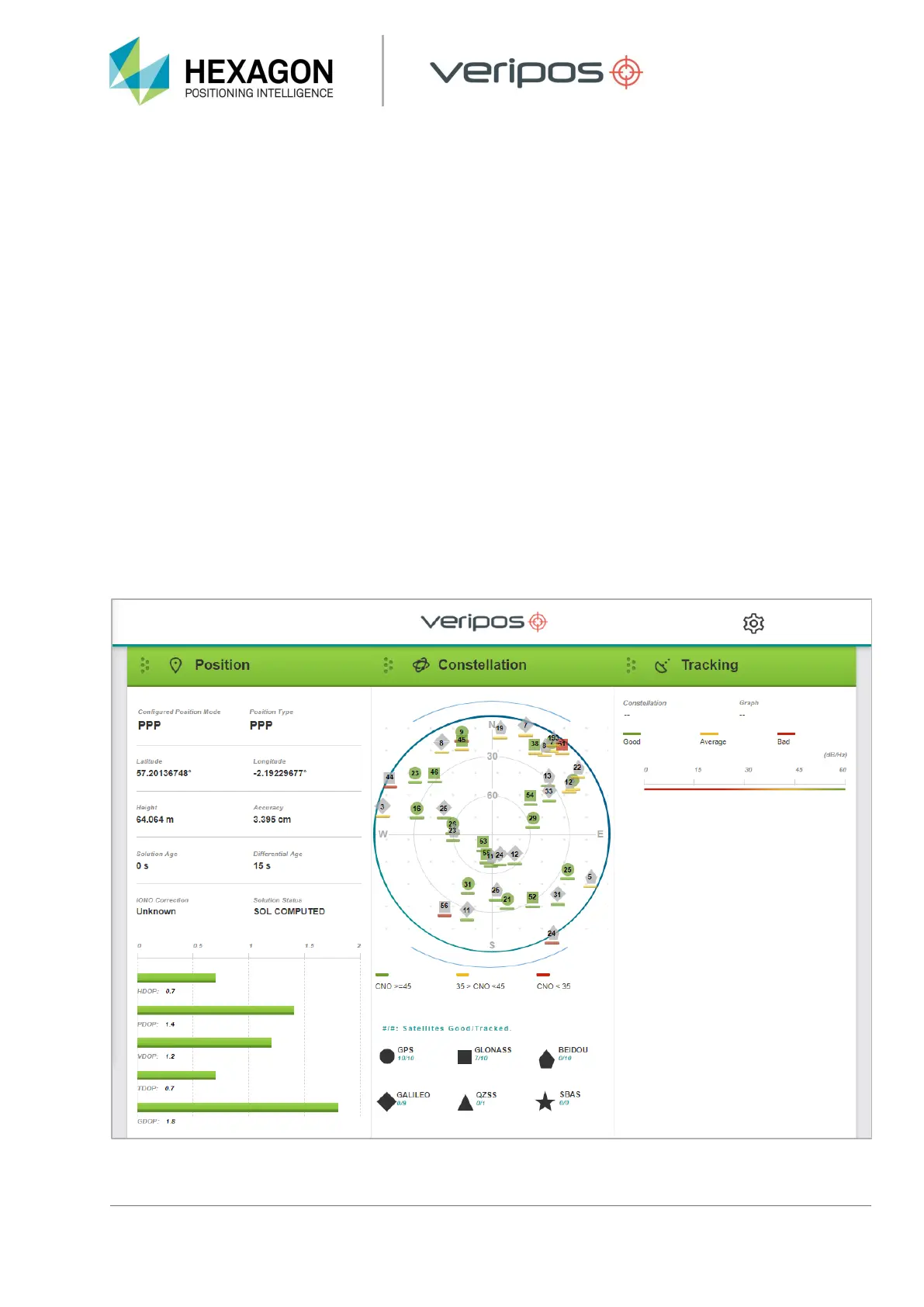
of 192.168.2.8 into the address bar. This will load the LD8 WebUI:


 To Next Page