Configuration and Operation
LD8 Operations Manual AB-V-MA-00635_RevA2 25
4.8 ROLLING LOG
4.8.1 ACCESSING ROLLING LOG
The LD8 is preconfigured to utilise a rolling data log. This data can be used to conduct various types of
analysis or for troubleshooting purposes by VERIPOS. From this data, RINEX observation logs can be
generated, if required. If RINEX logging is required, please contact VERIPOS Helpdesk.
If requested to provide logs by VERIPOS Support, ensure that the logs cover the period that needs analysed
plus 3 hours prior to the event and 1 hour after.
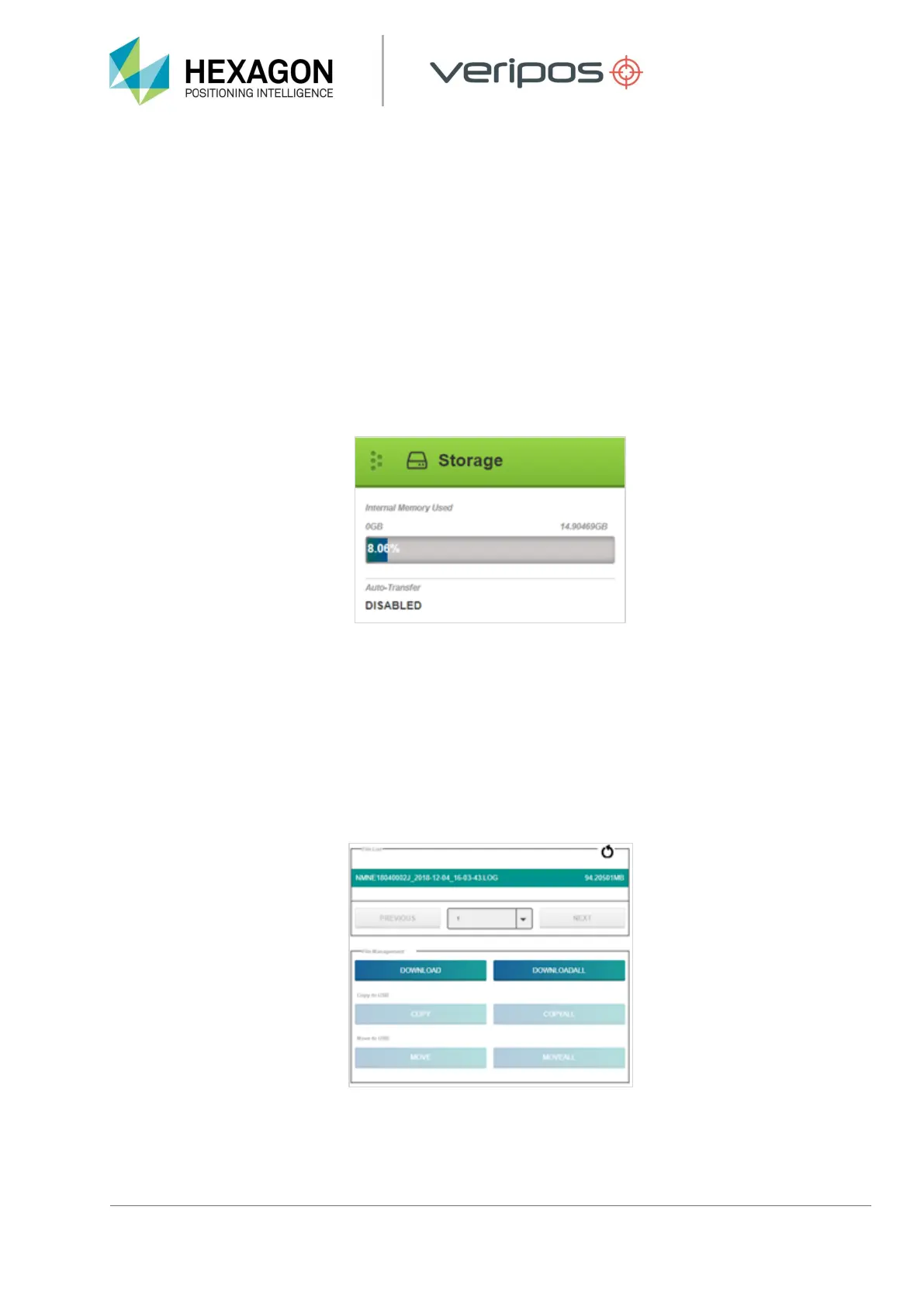
The status of rolling logs is visible within the WebUI and the logs can also be downloaded via the browser. On
the home page of the WebUI scroll down until the Storage tab is visible:
Click on the Storage tab to open the Storage Configuration page, where logged files can be accessed for
download.
4.8.2 DOWNLOADING LOGS
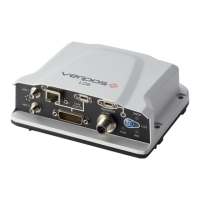
Hourly-separated logs can be found within the storage tab. Each log file will be displayed with a day and time
stamp and also the file size. As the rolling log builds up there may be multiple pages of stored logs.
To download logs, highlight any individual files required and click Download, or alternatively access all
available files by clicking Download All:


 To Next Page