10
Getting Started
This
section
provides
information
and
instructions for setting up the Fivespot 3G Global Hotspot for the first time.
Before
you
begin
using
your
device,
you
must
first
install VZAccess
Manager on your computer.
The
comprehensive
Quick
Reference
Guide
that
was
included
in
the
box
when
you purchased
your
device
and
the
VZ
Access
Manager
Software
User
Guide
details
the
installation
and configuration
of
your Fivespot with
VZ
Access Manager.
Important:
Installation
must
be
performed
within
the Mobile
Broadband
and/or
NationalAccess coverage
area.
Important:
Before
installing
your
new
software,
delete
or
uninstall
any
previously
existing
device
or dialer
software
from
your
computing
system.
Fivespot System Requirements
To
install
and
use
Fivespot,
your
host
computer
must
meet
below
requirements:
Operating
System
* IN USB MODEM MODE with
USB Cable ONLY
Windows XP (SP3 or higher), Windows Vista (32bit/ 64bit SP1 or
higher), Windows 7
NOTE: For details please go to www.vzam.net.
- OR -
MAC OS X 10.4 or higher
Software
Internet
browser software (
i.e.
Internet Explorer 7
,
Firefox 3.0 or
higher.)
FIVESPOT Software
Mobile Broadband/USB Cable Mode: VZAccess Manager included
on the device, no CD required.
Wi-Fi Mode: FIVESPOT Settings.
CPU
500 MHz or higher
Interface
One
Type-A USB
port or 802.11b/g
Memory
(RAM)
128
MB
Hard
Disk
Space
100
MB
Inserting and charging the battery
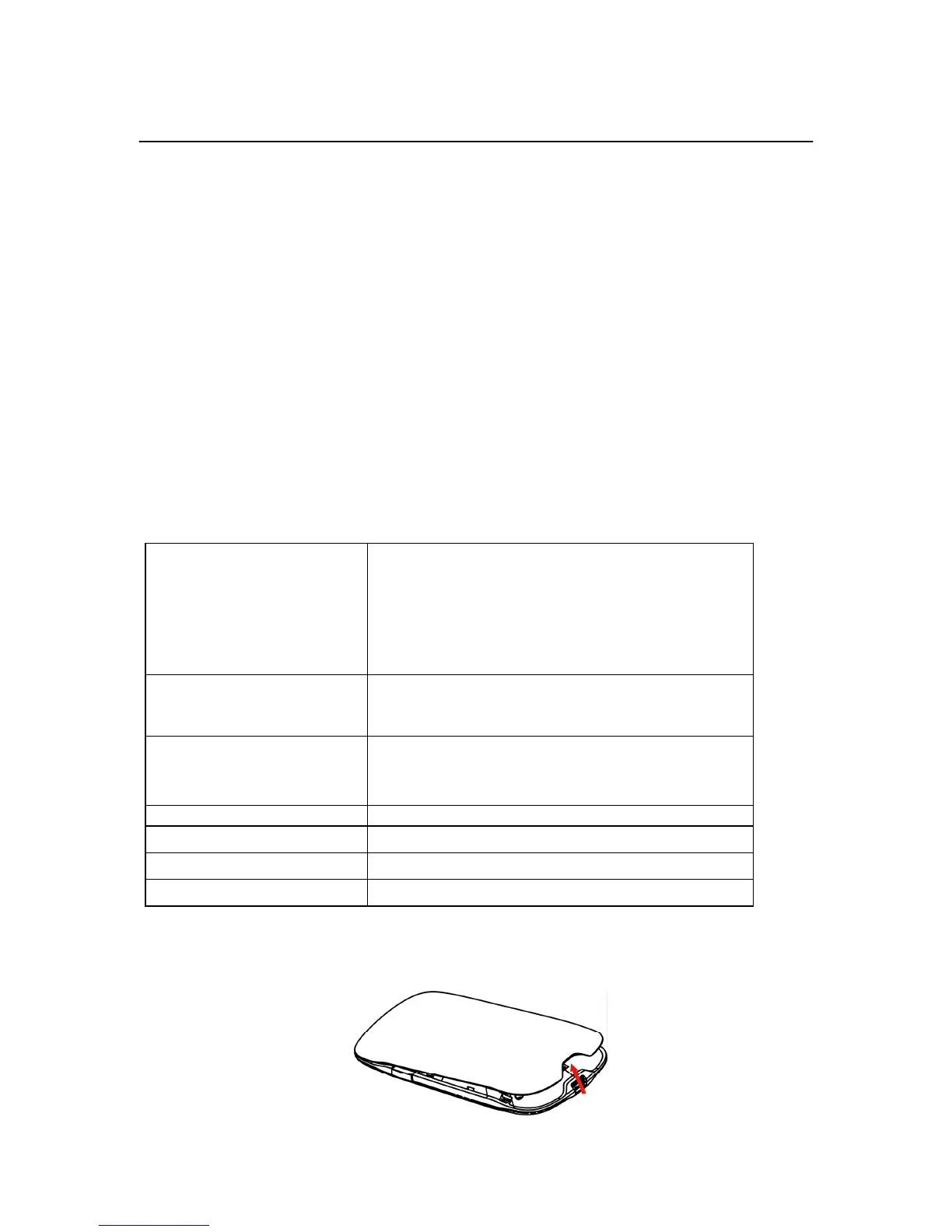
1. Open the battery compartment, located on the bottom of the device.
2. Insert the battery by lining up the gold contact points on the battery with the gold contact points in the battery compartment.



 To Next Page