7
*See system requirements for a complete list of operation system support.
Additional features include
z Advanced embedded antenna design for mobile Broadband and Wi-Fi
z VPN capability
z Auto installation and connectivity options
z 2-Way Short Messaging Service (SMS) (VZAccess Manager only)
z GPS/LBS support
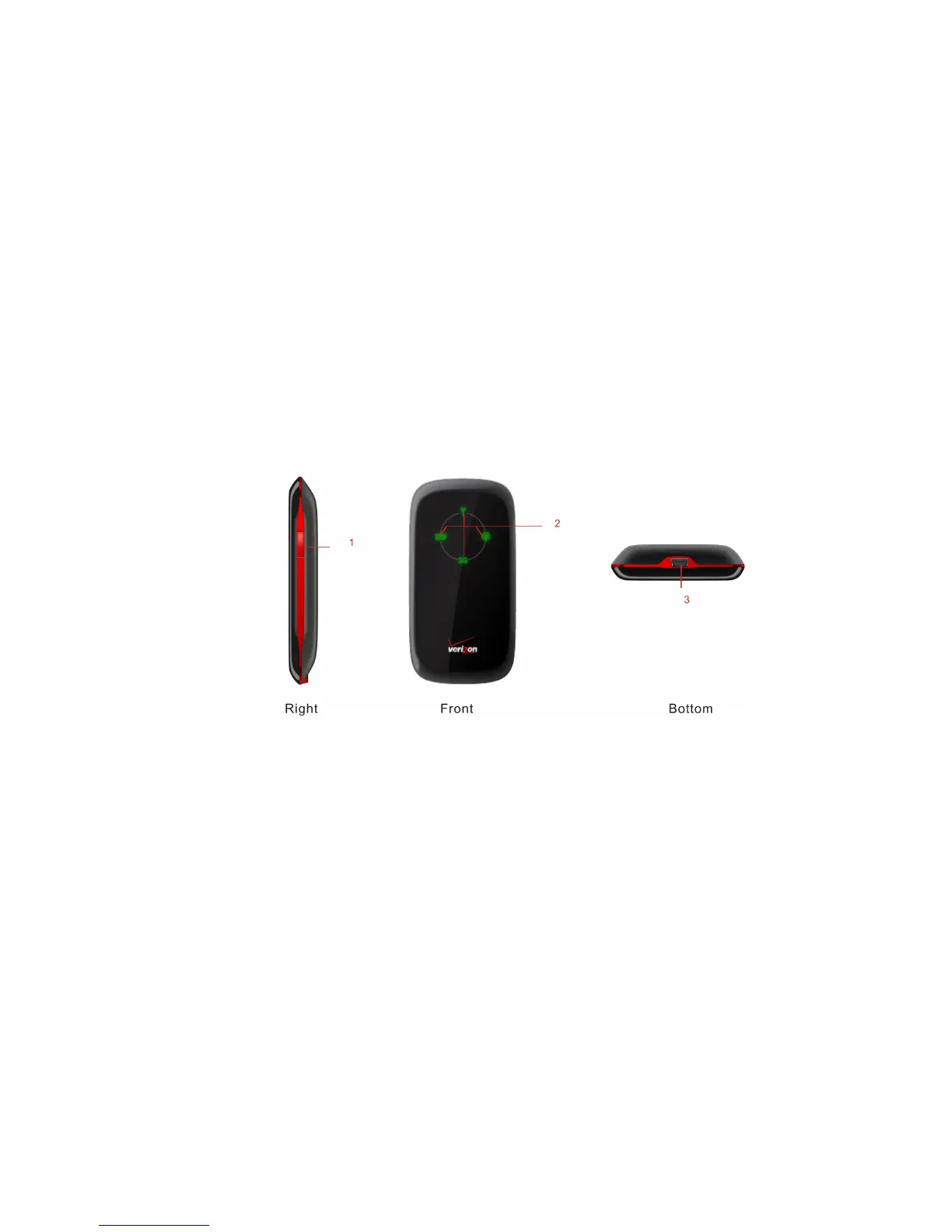
About your Fivespot Global Ready 3G Mobile Hotspot
1. Power Key
Press and hold the
Power key
for three seconds to switch the device on, or press and hold the
Power key
for 10 seconds
to switch the device off.
NOTE:
Continuously press the
Power Key
10 times within 15 seconds to set Wi-Fi related settings to their factory default
values, then the device will restart automatically. And each pressing must hold about 1/3 second, otherwise, the
pressing will be invalid.
2. Indicator



 To Next Page