20
Basic Setup
Quick Setup
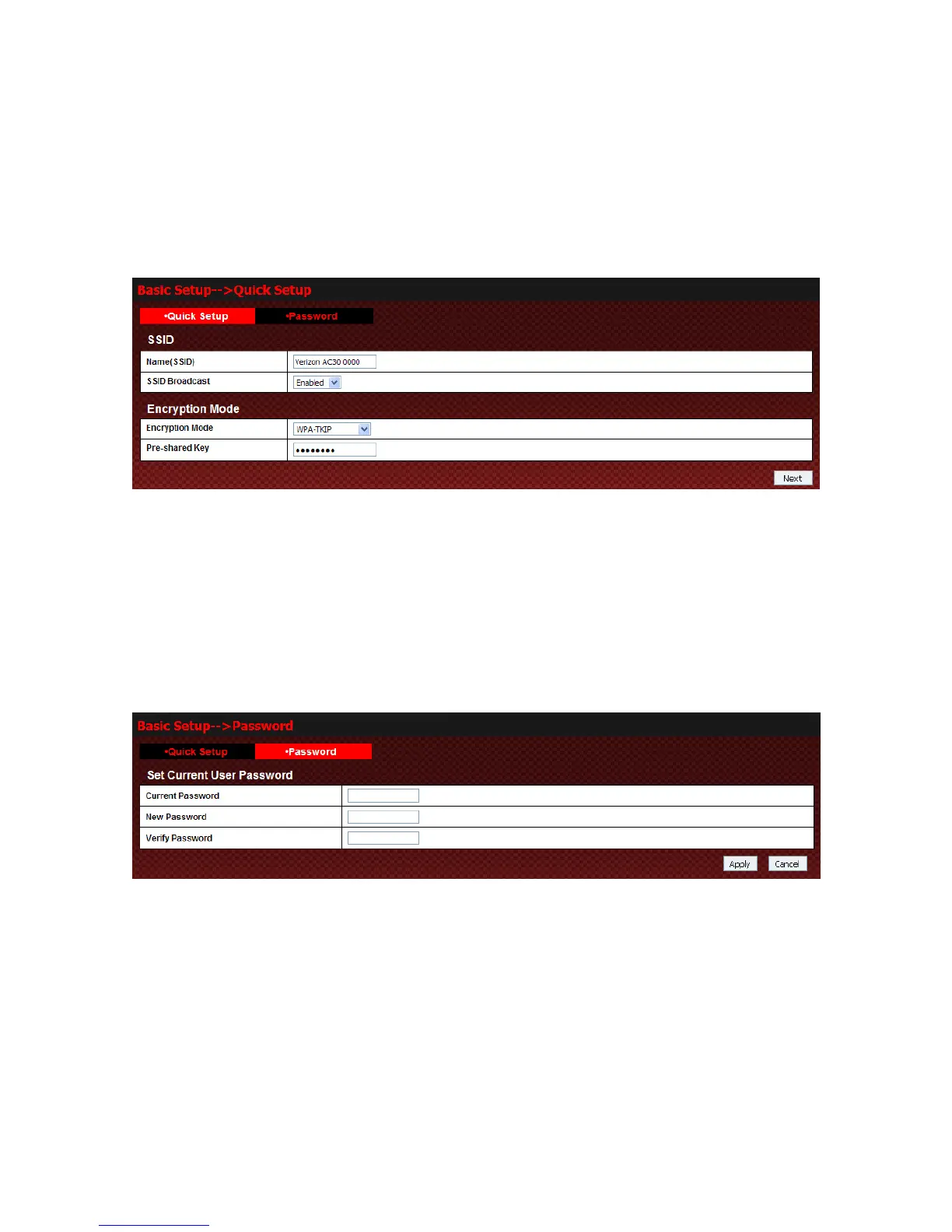
Select Basic Setup→Quick Setup to access
,
z SSID is used to uniquely identify your WLAN. If you enable SSID Broadcast, the gateway will
broadcast the SSID, and any Wi-Fi enabled device nearby can detect it.
z Encryption will keep your Fivespot away from unauthorized monitor and access, select one
encryption mode from the list, and then set key for it.
Click Next to show you new configuration. Then click Apply to active your setup.
Password
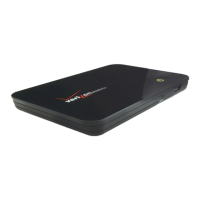
Select Basic Setup→Password to access:
You can change password for logging. Click Apply to confirm your configurations, or click Cancel to cancel
your configurations.
WAN Settings
Wirless Info
Select WAN Settings→Wireless Info to access:



 To Next Page