28
add a new rule. Click Delete to delete the rule which you selected. Click Reset to clear what you select or input.
System Security
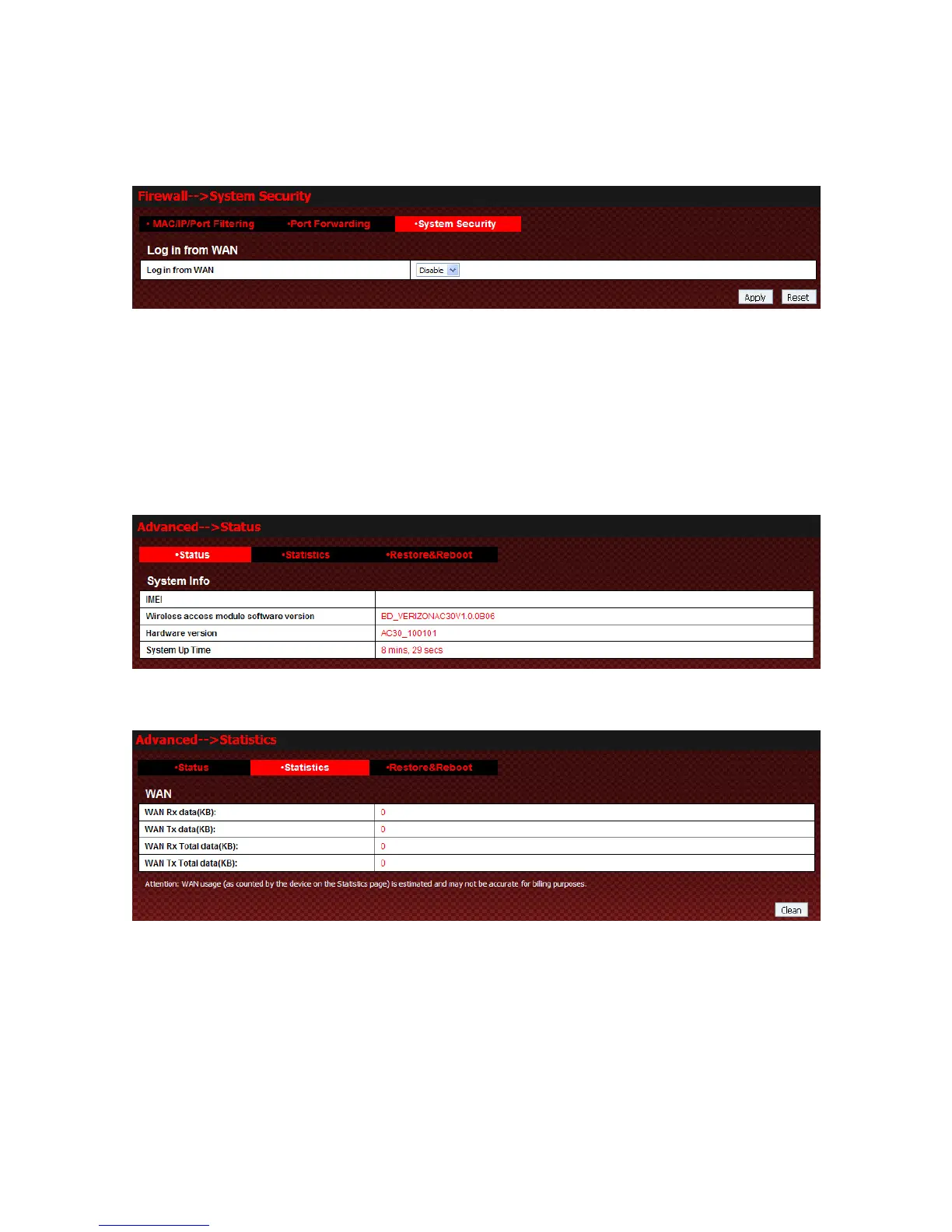
Select Firewall→System security to access:
You can enable or disable “log in from WAN” function. Click Apply to confirm your configure, or click Reset
to cancel your configuration.
Advanced
Status
Select Advanced→Status to access:
Statistics
Select Advanced→Statistics to access:
Click Clean to clear the result.
Restore&Reboot
Select Advanced→Restore&Reboot to access:



 To Next Page