19
Home Page
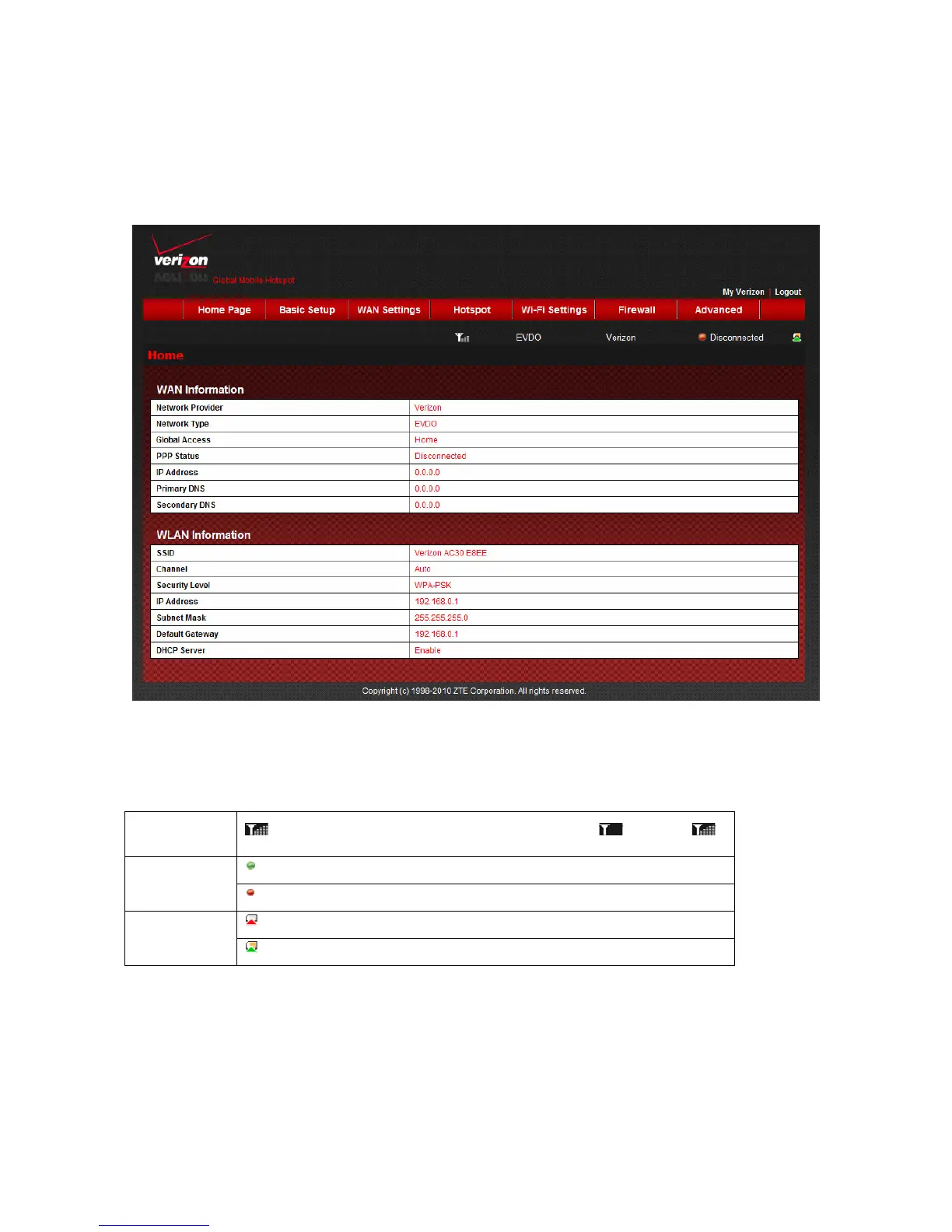
Once you login, the Welcome page changes to the Home page
z WAN Information: Status of WAN information.
z WLAN information: Status of Wi-Fi information.
z System Information: System status and tips.
Signal strength
: Shows network signal intensity, 5 stages from none to strong .
: Connect internet.
Internet Status
: Disconnect internet.
: SIM card is not detected.
SIM card status
: SIM card is detected.
NOTE:
The parameter “Global Access” have several values:
1.
HOME
: Registered on the network of Verizon Wireless.
2.
EXTENDED NETWORK
: Registered on the network of other operators.
3.
INTERNATIONAL
: Roaming outside the USA.
4.
ROAMING
: Roaming.



 To Next Page