24
Unless one of these encryption modes is selected, wireless transmissions to and from your wireless network can
be easily intercepted and interpreted by unauthorized users.
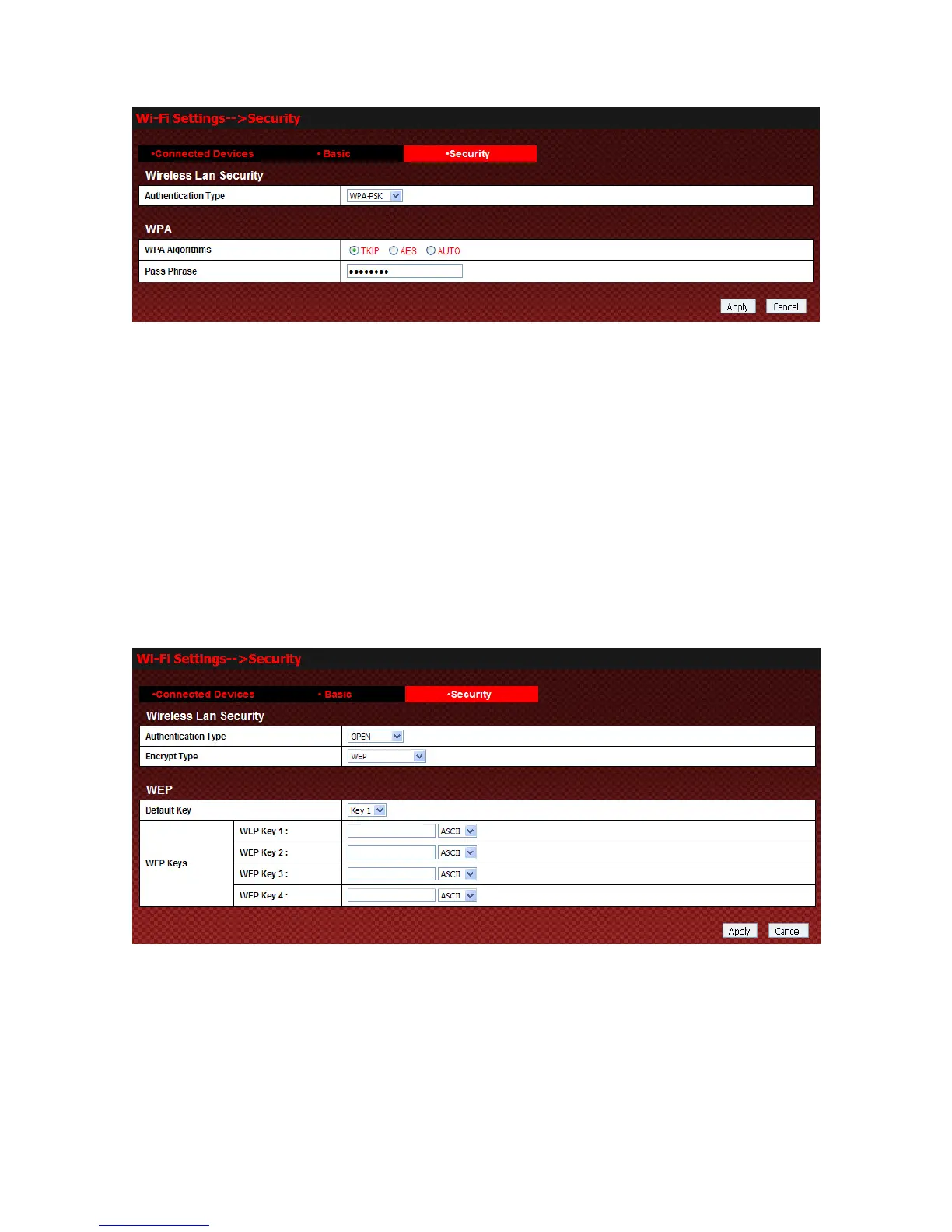
The security modes are described below:
z OPEN: You can authenticate successfully with a SSID, whether it is valid or empty.
z SHARED: The WLAN clients who have the same WEP key with wireless gateway can pass the
authentication and access the wireless network.
z WPA-PSK: WPA Pre-Shared Key, Enter the Pre-Shared key as a plain text (ASCII) pass-phrase of at least
8 characters.
z WPA2-PSK: It is the securer version of WPA with implementation of the 802.11i standard.
z WPA Algorithm: TKIP, AES or AUTO.
z Pass phrase: You can input a pass phrase encryption key (8~64 bytes).
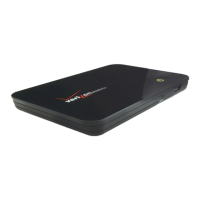
If the Authentication type is OPEN, the bottom part of the configuration page will appear:
z Encrypt Type: Set the encrypt type.
z WEP Keys: At most four keys can be set in the blank. Choose the primary key index. The primary key is
the only key in use at a given time. Whatever keys you enter for an access point, you must also enter the
same keys for the client adapter in the same order. In other words, WEP key 1 on the AP must match WEP
key 1 on the client adapter, WEP key 2 on the AP must match WEP key 2 on the client adapter, etc. A
WEP is either 10 or 26 hexadecimal digits (0~9,a~f and A~F)based on whether you select 64 bits or 128
bits in the Encryption Strength drop-down list
If the Authentication type is SHARED, the bottom part of the configuration page will appear:



 To Next Page