35
/ CONNECTING YOUR
FIOS HOME ROUTER
verizonwireless.com | ©2019 Verizon Wireless. All Rights Reserved.
./ MAIN SCREEN
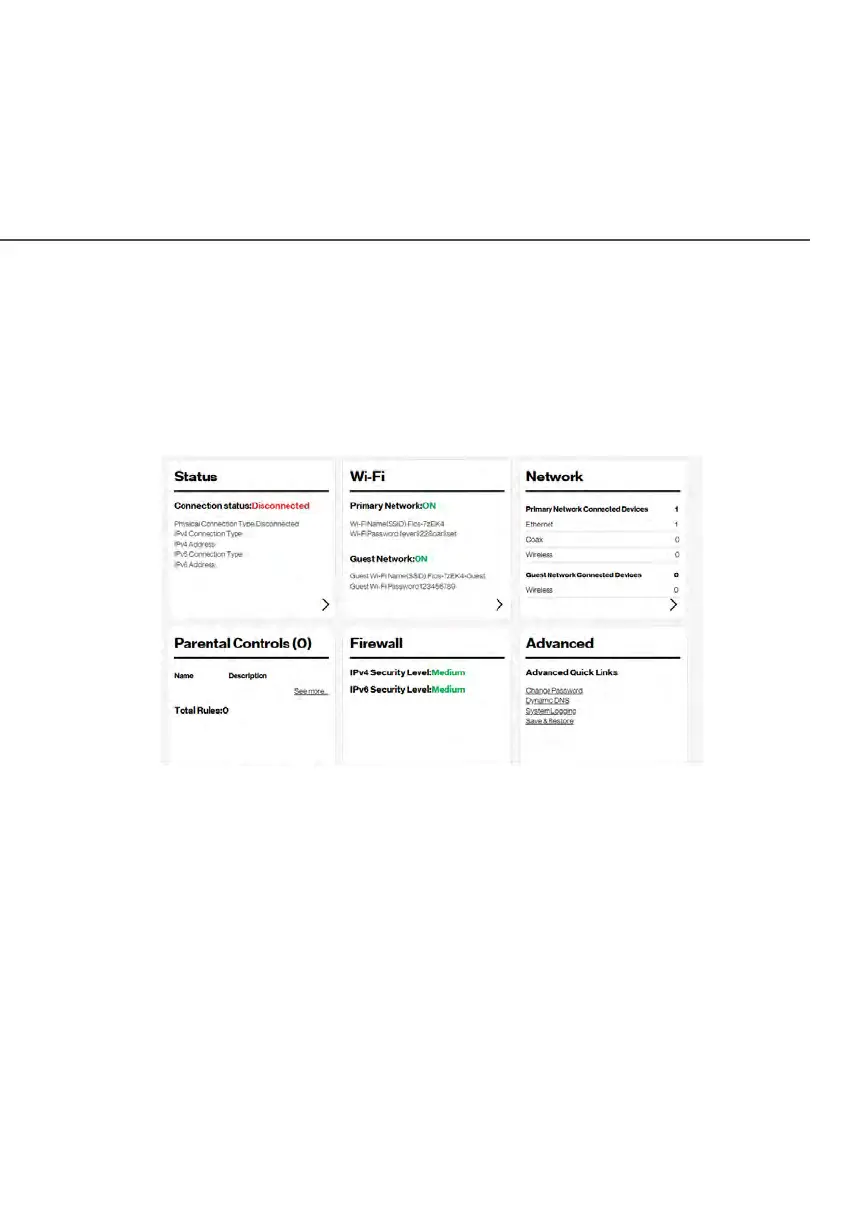
When you log into your router, the dashboard main page displays
the main navigation menu of connection status, Wi-Fi settings,
network settings, parental control, firewall security level, and
advanced quick links.
2.3a/ Menu
The main menu contains the following configuration options and
chapters:
• Status - this chapter
• Wi-Fi - Chapter 3
• Network - Chapter 4 and Chapter 5
• Parental Controls - Chapter 6
• Firewall - Chapter 7
• Advanced - Chapter 8


 To Next Page