72
/ USING NETWORK
CONNECTIONS
verizonwireless.com | ©2019 Verizon Wireless. All Rights Reserved.
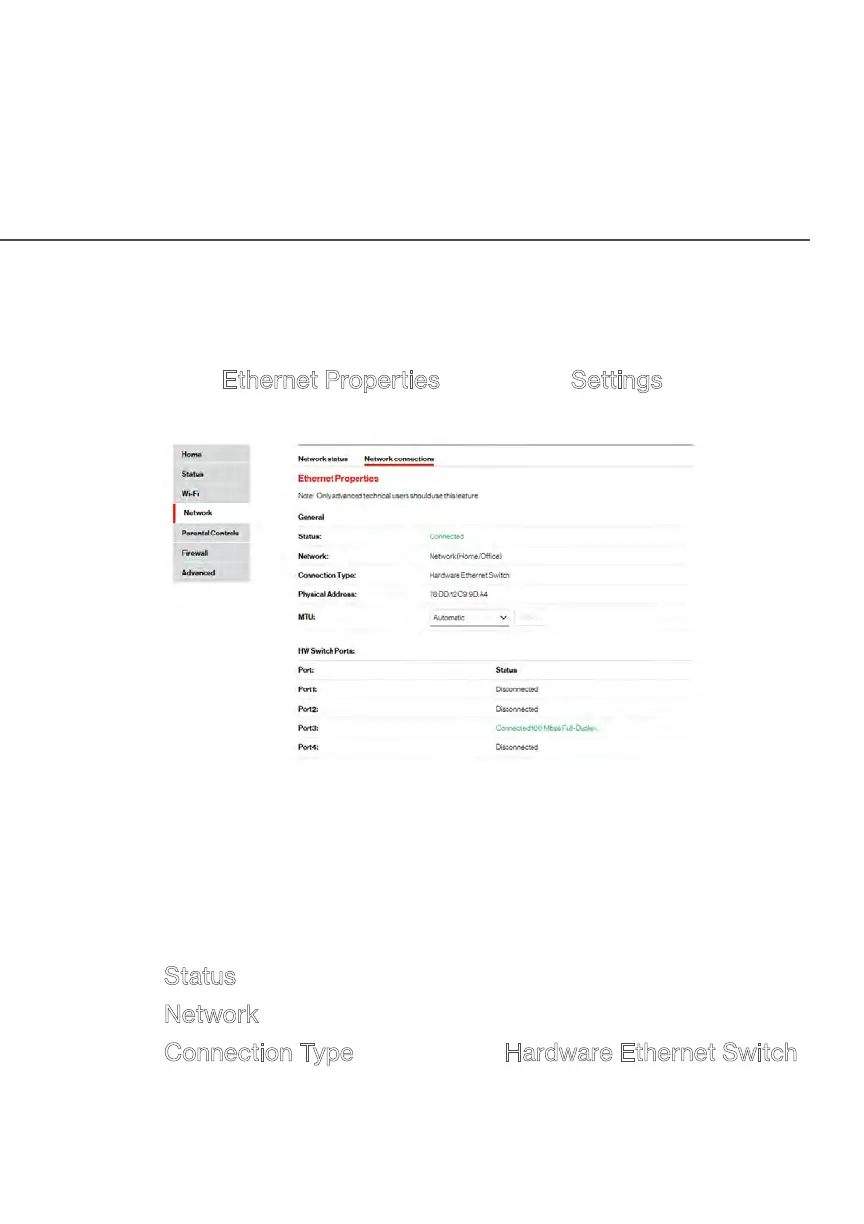
5.3a/ CONFIGURING ETHERNET PROPERTIES
To configure the connection:
1. 1. In the Ethernet Properties page, click Settings. The
configuration page displays.
2. Configure the following settings, as needed.
GENERAL
Verify the following information:
• Status - displays the connection status of the network.
•
Network – displays the type of network connection.
•
Connection Type - displays as Hardware Ethernet Switch.


 To Next Page