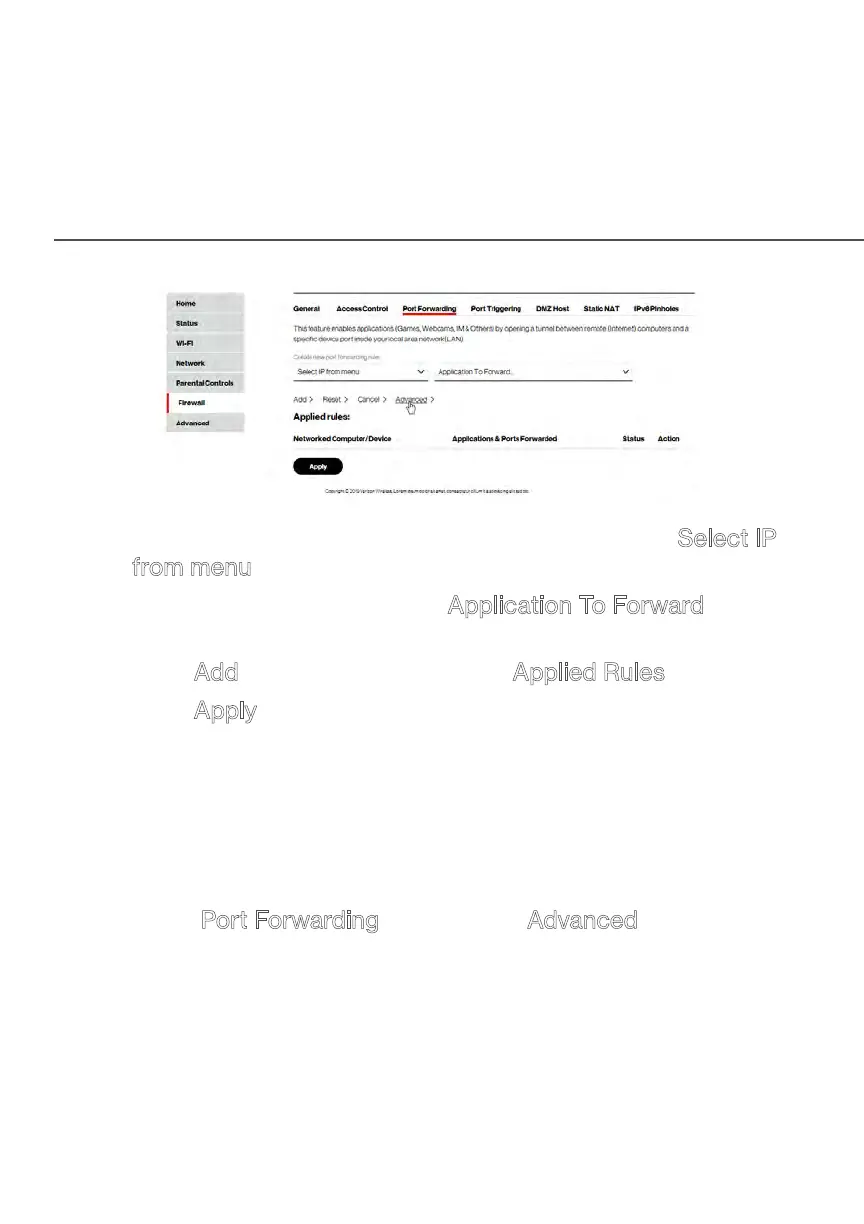
PORT FORWARDING
2. To create a new rule, select the IP address in the Select IP
from menu drop down.
3. Select the application in the Application To Forward drop
down.
4. Click
Add. The rule displays in the Applied Rules section.
5. Click
Apply to save changes.
7.2a/ ADVANCED PORT FORWARDING RULES
You can configure advanced port forwarding rules.
To configure the rules:
1. In the Port Forwarding page, select Advanced.


 To Next Page